
Let me be honest with you. When I first started gaming, I had absolutely no idea what I was looking for in a keyboard. I just grabbed the cheapest thing I could find, plugged it in, and wondered why my keypresses felt mushy, unresponsive, and just plain awful. It was frustrating. I was losing games not because of skill but because my keyboard was working against me.
That experience changed everything for me. I spent months researching, testing, and comparing gaming keyboards across every price range. And what I discovered surprised me. You do not need to spend $150 or $200 to get a genuinely great gaming keyboard. In fact, some of the best keyboards I have ever used cost less than $100 and a few of them cost less than $60.
In this guide, I am going to share my top 7 picks for the best gaming keyboards for beginners under $100 available on Amazon right now. Whether you want a full-size mechanical keyboard, a compact wireless option, or something with Hall Effect switches that rivals keyboards costing three times as much there is something on this list for you. I will break down the features, the pros, the cons, and exactly who each keyboard is best for. By the end, you will know exactly which keyboard to buy without second-guessing yourself.
Let us get into it.
1. K670 RGB Backlit Gaming Keyboard
4.5 out of 5 stars ⭐⭐⭐⭐☆ (75 reviews)
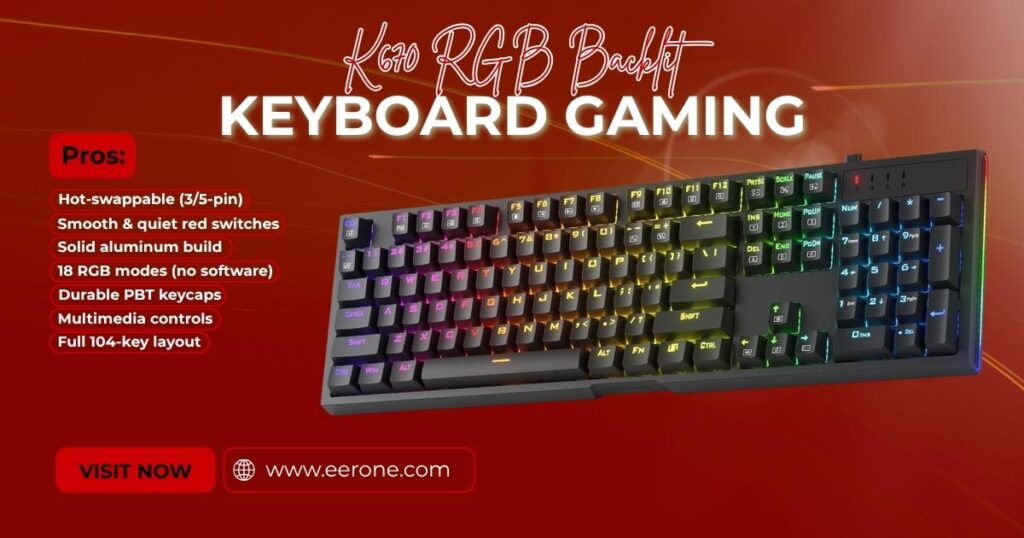
If I had to recommend just one keyboard on this entire list this would be it. The Redragon K670 ARGO is, without question, the best all-around gaming keyboard for beginners under $100 on Amazon in 2026. It checks every single box you need when you are just getting started: it is affordable, it sounds great, it feels premium, and this is the big one it is hot-swappable right out of the box.
Key Features
Let me explain why the hot-swap feature is such a big deal, especially for beginners. Most mechanical keyboards are soldered meaning the switches are permanently attached to the circuit board. If you buy a keyboard and decide you do not like the switches, you are stuck with them. The K670 ARGO completely eliminates this problem. You can pull out the switches with a switch puller and drop in a completely different set without any soldering, any tools, or any technical knowledge whatsoever. It takes about thirty seconds per switch. This one feature alone makes the K670 ARGO worth every penny.
The upgraded hot-swap socket on the K670 is compatible with nearly all 3-pin and 5-pin switches on the market giving you complete freedom to experiment with your creativity and find the exact typing feel that works best for your hands and your gaming style.
Out of the box, the K670 comes with Quiet+ Red linear switches. These are smooth, light, and as the name suggests surprisingly quiet for a mechanical keyboard. They require less force to press down compared to tactile or clicky switches, which makes them ideal for fast gaming inputs without the loud click that drives roommates and family members insane. The soft key travel makes every press easy to register, and there is no tactile bump getting in the way of your gaming.
The RGB lighting on the K670 is genuinely impressive. You get 18 presets backlighting modes that you can cycle through directly on the keyboard no software download required. Adjust brightness, change the flow speed, and switch between modes all from the keys themselves. If you want deeper customization, the Redragon software lets you design your own RGB modes, record macros, and set up custom keybindings for more efficient gaming.
The tank-solid aluminum metal board adds a level of durability and rigidity that you simply do not expect at this price point. This keyboard is built to last. The double-shot PBT keycaps mean the legends will never fade no matter how many hours you pour into your gaming sessions.
Dedicated multimedia controls sit at the top right of the keyboard, giving you instant access to play, pause, skip tracks, and adjust volume without ever alt-tabbing out of your game.
Pros & Cons
Pros:
- Hot-swappable with 3-pin and 5-pin compatibility change switches anytime
- Quiet+ Red linear switches smooth and silent
- Tank-solid aluminum frame premium build quality
- 18 RGB backlit modes no software required
- Double-shot PBT keycaps fadeproof legends
- Dedicated multimedia controls
- Full 104-key layout nothing missing
Cons:
- Wired only no wireless option at this price
- Software requires a visit to the Redragon website to download
- Red linear switches may be too light for some typists who prefer tactile feedback
Who Should Buy the Redragon K670?
The K670 is perfect for you if you want a full-size mechanical keyboard that gives you the freedom to experiment with different switches without buying a new keyboard every time. If you are serious about gaming but do not want to spend over $100, this is your keyboard. I genuinely believe it is one of the best purchases you can make as a beginner gamer in 2026.
2. Redragon K552 Best Budget Gaming Keyboard Under $40
4.5 out of 5 stars ⭐⭐⭐⭐☆ (49,599 reviews)
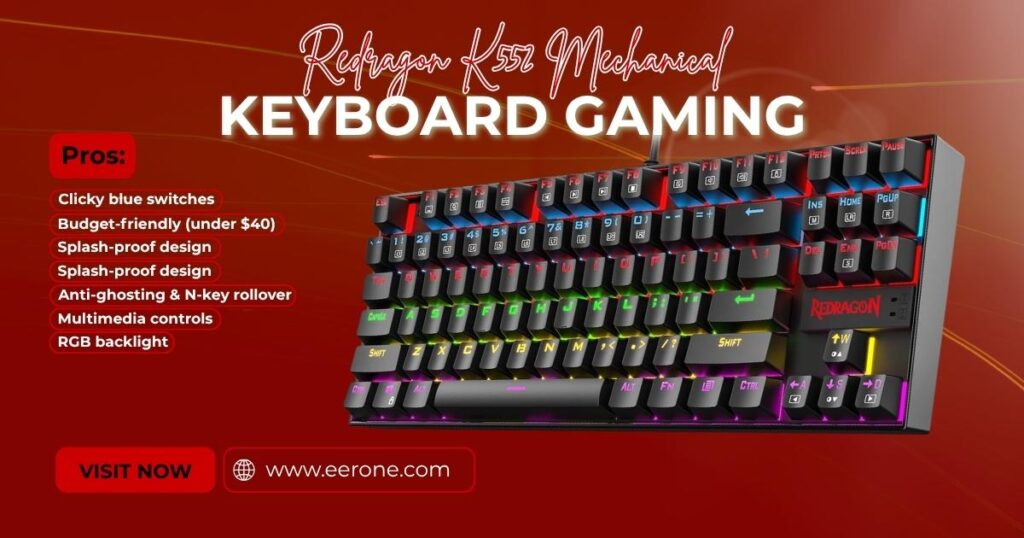
The Redragon K552 is a legend. It has been one of the best-selling mechanical gaming keyboards on Amazon for years and it continues to dominate the budget category in 2026 for very good reason. For under $40, you get a genuine mechanical keyboard with real mechanical blue switches, full RGB backlighting, and a compact tenkeyless layout that gives your mouse more room to move.
Key Features
Let me be direct with you the K552 is not fancy. It does not have hot-swap sockets or wireless connectivity. What it does have is a rock-solid mechanical typing experience at a price that makes it accessible to literally anyone. If you have never owned a mechanical keyboard before and want to feel what all the fuss is about without spending a lot of money, the K552 is your answer.
The blue switches on the K552 produce that satisfying tactile bump and audible click that mechanical keyboard enthusiasts love. Every keypress gives you physical and audible confirmation that your input has registered. For gamers who are new to mechanical switches, this tactile feedback is genuinely exciting. It makes gaming feel more precise and more intentional.
The compact TKL layout removes the numpad from the right side giving your mouse significantly more space to move freely across your desk. For FPS gamers especially, this extra mouse room can make a real difference in how comfortable and natural your setup feels. My tip for beginners: try a TKL layout before committing to a full-size keyboard you might be surprised how much you prefer it.
The splash-proof design protects the keyboard against accidental liquid spills a genuinely useful feature for gamers who keep drinks nearby during long gaming sessions.
Full anti-ghosting and N-key rollover ensure that every single keypress registers accurately even when multiple keys are pressed simultaneously essential for gaming where you might be pressing WASD, Shift, and Space all at the same time.
Pros & Cons
Pros:
- Genuine blue mechanical switches satisfying click and tactile bump
- Under $40 most affordable on this list
- Compact TKL layout more desk space for your mouse
- Splash-proof construction
- Full anti-ghosting and N-key rollover
- RGB backlighting
Cons:
- Blue switches are loud not ideal for quiet environments
- Not hot-swappable switches cannot be changed
- ABS keycaps legends may fade over time with heavy use
- No dedicated media keys
Who Should Buy the Redragon K552?
The K552 is the perfect first mechanical keyboard. If you want to experience mechanical switches for the first time without spending a significant amount of money, there is no better starting point on Amazon. Buy it, game on it, and decide what you want in your next keyboard. Simple as that.
3. AULA F75 Pro Wireless Mechanical Keyboard
4.6 out of 5 stars ⭐⭐⭐⭐☆ (1,453 reviews)
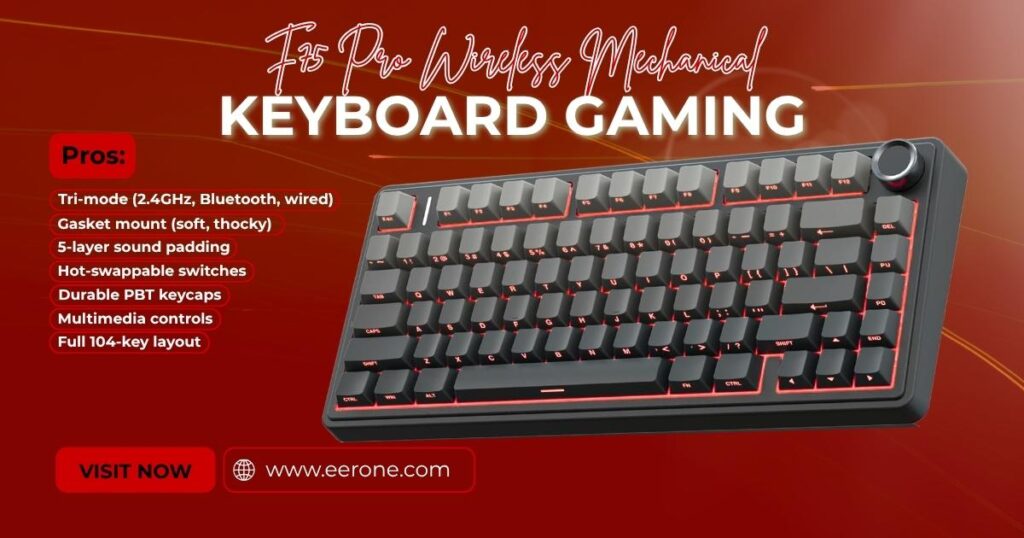
Want wireless freedom without sacrificing mechanical performance? The AULA F75 is the answer. This is the keyboard I would recommend to any beginner who wants to go wireless because it delivers tri-mode connectivity, hot-swappable switches, a gasket mount design, and premium PBT keycaps all under $100.
Key Features
The AULA F75 connects in three different ways: Type-C wired, 2.4GHz wireless receiver, and Bluetooth. This tri-mode flexibility means you can connect to your gaming PC via the fast 2.4GHz dongle, switch to Bluetooth for your laptop or tablet, or plug in the cable when your battery runs low. Most wireless keyboards under $100 only offer Bluetooth the 2.4GHz option on the F75 gives you a noticeably faster and more stable wireless connection that is genuinely suitable for gaming.
The 75% layout is one of my personal favorites for gaming setups. It keeps all the essential keys including the function row and arrow keys while eliminating the numpad to create a much smaller, cleaner footprint on your desk. You get almost everything a full-size keyboard offers at roughly 75% of the size. It is the sweet spot between compact and functional.
The gasket mount design is a feature you normally find in keyboards costing $150 or more. The circuit board is mounted on a gasket layer rather than being screwed directly into the case this creates a softer, more cushioned keypressing feel with a deeper, thockier sound that keyboard enthusiasts go crazy for. Combined with the five-layer acoustic padding inside the F75, every keypress sounds and feels genuinely premium.
Hot-swappable switches mean you can swap out the included switches for any 3-pin or 5-pin switch of your choice letting your creativity run wild as you customize your setup to feel exactly the way you want.
Pros & Cons
Pros:
- Tri-mode wireless 2.4GHz, Bluetooth, and wired
- Gasket mount softer, thockier sound
- Five-layer acoustic padding premium sound profile
- Hot-swappable switches
- PBT keycaps fadeproof legends
- 75% layout compact but functional
- RGB backlighting
Cons:
- Some units reported pinging noise from plate may require foam modding
- 75% layout removes numpad
- Battery life varies based on RGB usage
Who Should Buy the AULA F75?
If you want a wireless mechanical keyboard under $100 that does not feel or sound cheap the AULA F75 is your best option on Amazon right now. The gasket mount and tri-mode connectivity at this price point are genuinely remarkable. Perfect for gamers who want a clean, cable-free desk setup without spending a fortune.
4. Aula WIN60 HE – 60% Mechanical Gaming Keyboard
4.5 out of 5 stars ⭐⭐⭐⭐☆ (697 reviews)
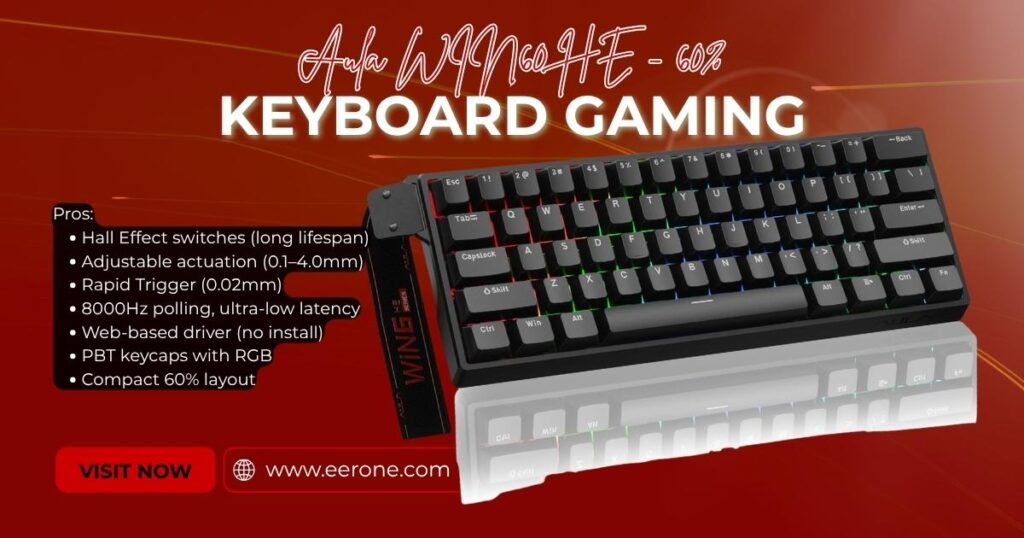
I want to be upfront with you when I first heard about Hall Effect switches in a keyboard under $100, I was skeptical. Hall Effect technology has traditionally been the domain of premium boards costing $150 or more. But after spending time with the AULA WIN60 HE, I was genuinely surprised by what this keyboard delivers at this price point.
Key Features
Let me explain what Hall Effect switches actually are, because this is important. Traditional mechanical switches work by making physical contact between two metal points. Over time, this contact wears down, causing double-clicking issues and inconsistent actuation. Hall Effect magnetic switches completely eliminate physical contact instead using a tiny magnet beneath each key that the sensor reads without ever touching anything. The result is a switch with virtually unlimited lifespan, perfectly consistent actuation every single time, and zero double-click problems. Ever.
The AULA WIN60 HE takes this a step further with fully adjustable actuation letting you set your actuation point anywhere from the very top of the keystroke to the very bottom. Set it to 0.1mm for lightning-fast competitive gaming inputs. Set it deeper for a more controlled, deliberate typing feel. This level of customization was previously reserved for keyboards costing $200 or more.
Rapid Trigger is the other game-changing feature. Instead of a fixed reset point, Rapid Trigger resets the key as soon as it starts moving back up even just 0.02mm of upward movement triggers a reset. In fast-paced FPS games like Valorant and CS2, this gives you faster peeking, quicker counter-strafing, and more responsive inputs than any standard mechanical keyboard can deliver.
The 8000Hz polling rate sends your input data to your PC 8,000 times per second compared to the standard 1000Hz of most gaming keyboards. The result is ultra-low latency of just 0.3ms. Your inputs feel instantaneous.
The web-based driver lets you remap keys, create macros, and customize RGB lighting from any device with an internet connection no software download required.
Pros & Cons
Pros:
- Hall Effect magnetic switches virtually unlimited lifespan
- Fully adjustable actuation 0.1mm to 4.0mm
- Rapid Trigger at just 0.02mm step distance
- 8000Hz polling rate 0.3ms latency
- Web-based driver no software download needed
- Side-printed PBT keycaps with RGB lighting
- Compact 60% layout maximum desk space
Cons:
- 60% layout no function row or arrow keys (requires Fn layer)
- Wired only no wireless option
- Plastic case build quality reflects the budget price
- Spacebar stabilizer may rattle out of the box
Who Should Buy the AULA WIN60 HE?
The WIN60 HE is for you if you play competitive FPS games like Valorant, CS2, or Apex Legends and want Hall Effect switches and Rapid Trigger without spending $150. The features in this keyboard at this price are genuinely hard to believe. If features matter more to you than build materials and you are serious about competitive gaming buy this keyboard.
5. Logitech G213 Prodigy Gaming Keyboard
4.4 out of 5 stars ⭐⭐⭐⭐☆ (7,220 reviews)
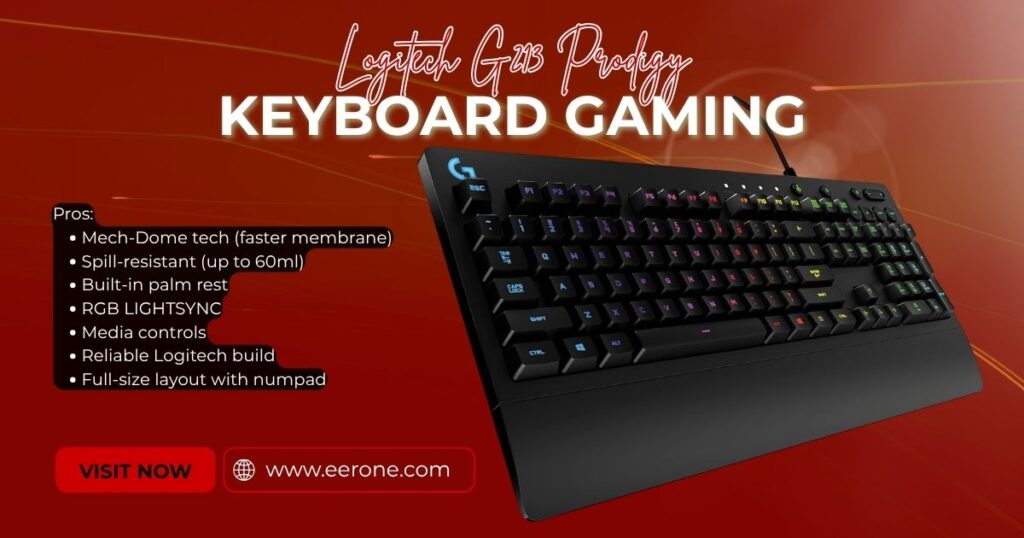
Not everyone wants a mechanical keyboard. Some beginners find mechanical switches too loud, too stiff, or just too unfamiliar. If that sounds like yourself the Logitech G213 Prodigy is the best membrane gaming keyboard you can buy on Amazon for under $100. Full stop.
Key Features
The G213 uses Logitech’s proprietary Mech-Dome technology membrane keys that are tuned to respond and feel more like mechanical keys than standard rubber domes. The result is a faster, more responsive actuation than typical membrane keyboards, without the noise or the higher price tag of full mechanical switches. If you have been gaming on a standard membrane keyboard and want something that feels noticeably better the G213 is a significant step up.
The spill-resistant design can handle up to 60ml of liquid enough to survive the accidental knock of a water bottle or energy drink during a heated gaming session. As someone who has absolutely destroyed a keyboard by spilling coffee on it, I cannot stress enough how valuable this feature is. Tips like these matter protect your investment.
The built-in palm rest is one of the G213’s most underrated features. Long gaming sessions put real strain on your wrists, and having a padded palm rest built directly into the keyboard makes a genuine difference in comfort over several hours. No separate wrist rest purchase required.
Full RGB backlighting covers all keys with 16.8 million colors, and Logitech’s LIGHTSYNC technology lets you sync your RGB effects across all your Logitech G devices. The dedicated media controls at the top right give you one-touch access to volume, playback, and mute without interrupting your game.
Pros & Cons
Pros:
- Mech-Dome technology faster than standard membrane
- Spill resistant up to 60ml
- Built-in palm rest great for long sessions
- Full RGB LIGHTSYNC syncs with other Logitech devices
- Dedicated media controls
- Trusted Logitech brand excellent build quality
- Full-size layout with numpad
Cons:
- Membrane switches not as precise as mechanical for competitive gaming
- Not hot-swappable
- Wired only
- RGB is zone-based, not per-key on all zones
Who Should Buy the Logitech G213?
The G213 is perfect for beginner gamers who are not ready to commit to mechanical switches, or who game in shared spaces where noise is a concern. If you value comfort, reliability, and a trusted brand name at a reasonable price the Logitech G213 Prodigy delivers all three without compromise.
6. SteelSeries Apex 3 RGB Gaming Keyboard
4.6 out of 5 stars ⭐⭐⭐⭐☆ (7,928 reviews)
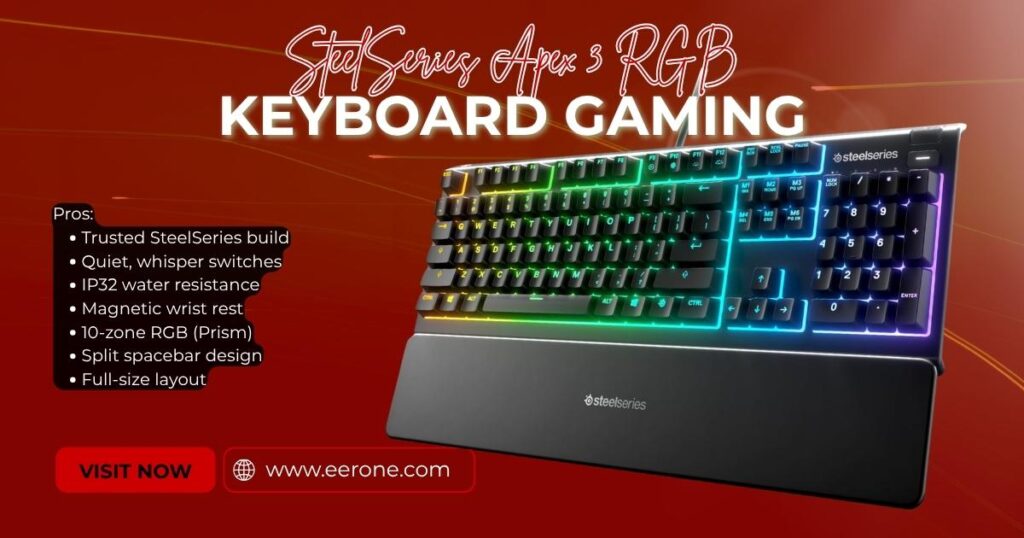
SteelSeries is one of the most respected names in gaming peripherals on the planet. The Apex 3 is their entry-level gaming keyboard and it brings the quality and attention to detail that SteelSeries is famous for at a price that makes it accessible to every beginner gamer.
Key Features
The Apex 3 uses SteelSeries Whisper Quiet gaming switches silent, smooth, and fast. These are membrane-style switches tuned specifically for gaming performance, delivering a quiet typing experience that is noticeably more responsive than generic rubber dome keyboards. For gamers in apartments, dorms, or shared living spaces where noise is a genuine concern the Apex 3 is a genuinely thoughtful choice.
IP32 water resistance is a meaningful upgrade over keyboards that simply claim to be splash-proof. The Apex 3 can handle water, sweat, and accidental spills with confidence keeping your keyboard functioning even in messy gaming environments.
The magnetic wrist rest is a premium feature that most keyboards in this price range skip entirely. It snaps on and off with ease using magnets and provides comfortable support during long gaming sessions. My personal creativity tip: the wrist rest also doubles as a great desk accessory it looks clean and intentional even when you are not gaming.
Ten-zone RGB illumination covers the entire keyboard with stunning lighting effects. SteelSeries Prism software gives you deep control over lighting customization, letting you create your own effects and sync them with other SteelSeries devices.
The split key design physically separates the Alt and Windows key allowing for a more accurate and comfortable thumb position during intense gaming moments.
Pros & Cons
Pros:
- SteelSeries brand trusted, proven quality
- Whisper quiet switches silent gaming
- IP32 water resistance genuine protection
- Magnetic wrist rest included
- 10-zone RGB with Prism software
- Split spacebar design for gaming comfort
- Full-size layout
Cons:
- Membrane switches not mechanical
- No hot-swap capability
- Wired only
- RGB is zone-based, not individual per-key
Who Should Buy the SteelSeries Apex 3?
If brand reputation matters to you and for many beginners, it absolutely should the SteelSeries Apex 3 is the safest, most reliable choice under $50. You are buying from a company that outfits professional esports teams worldwide. The build quality, software support, and after-sale customer service of SteelSeries is exceptional. For a beginner who values peace of mind alongside performance, the Apex 3 delivers.
7. Portable 60% Mechanical Gaming Keyboard
4.3 out of 5 stars ⭐⭐⭐☆ (10,877 reviews)
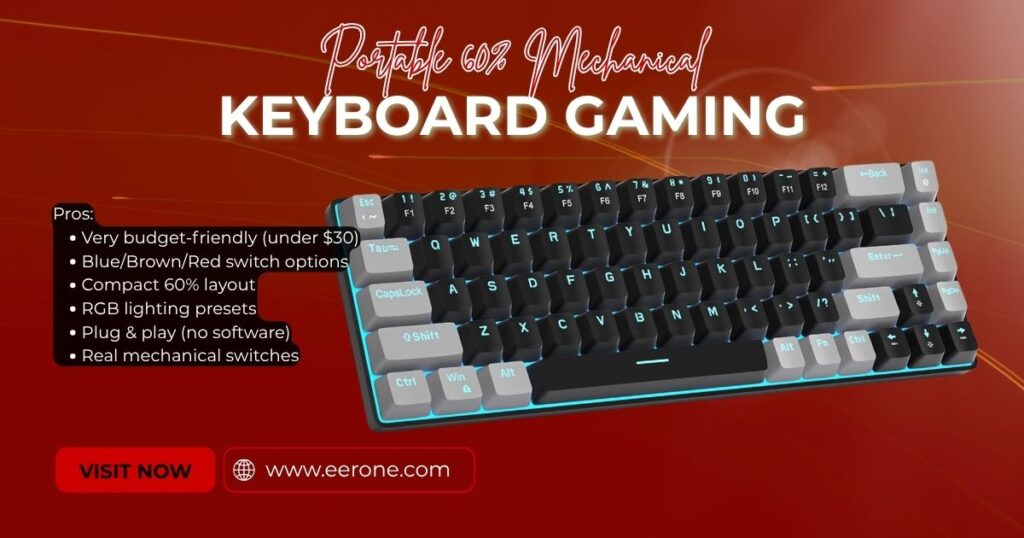
Sometimes the budget is tight. I get it and I have been there myself. If you need a mechanical gaming keyboard and your budget is under $30, the MageGee MK-Box is the one to buy. It is compact, it is genuinely mechanical, and it performs far above what its price tag suggests.
Key Features
The MK-Box is a 60% mechanical keyboard available with your choice of blue, brown, or red switches giving you the freedom to select a switch type that matches your preferences right from the start. Blue switches for that satisfying clicky feel. Brown switches for a quiet tactile bump. Red switches for smooth, silent linear presses. Having this choice at under $30 is genuinely impressive.
The compact 60% layout is perfect for small desks, gaming on the go, or anyone who simply does not need a numpad taking up desk real estate. The smaller footprint gives your mouse more room and creates a cleaner, more organized gaming setup overall.
The RGB backlighting covers the full keyboard with vibrant colors and multiple preset lighting modes all adjustable directly from the keyboard itself. No software required. It looks genuinely good for the price.
The MK-Box is plug and play just connect the USB cable and start gaming. No driver installation, no complicated setup, no headaches. For a complete beginner who just wants to get gaming immediately, this simplicity is a real advantage.
Pros & Cons
Pros:
- Under $30 most affordable mechanical keyboard on this list
- Choice of Blue, Brown, or Red switches
- Compact 60% layout clean and portable
- RGB backlighting multiple preset modes
- Plug and play no software required
- Genuine mechanical switches
Cons:
- 60% layout no function row, arrow keys, or numpad
- Build quality reflects the price mostly plastic
- ABS keycaps legends may fade with heavy long-term use
- No hot-swap capability
Who Should Buy the MageGee MK-Box?
The MK-Box is for the gamer on a genuinely tight budget who still wants a real mechanical keyboard. If you want to step up from a membrane keyboard but cannot justify spending $50 or more right now start here. It is a great entry point, and it will not let you down.
Check Price on Amazon
How to Choose a Gaming Keyboard as a Beginner
Choosing your first gaming keyboard can feel overwhelming. There are hundreds of options on Amazon and everyone seems to have a different opinion. Let me simplify this for you with the tips I wish someone had shared with me when I was starting out.
Mechanical vs Membrane Which is Better for Gaming?
This is the question I get asked more than any other. Here is the honest answer: mechanical keyboards are generally better for gaming but membrane keyboards have their place too.
Mechanical keyboards use individual physical switches under each key. This means each keypress is precise, consistent, and has a defined actuation point. You know exactly when a key has registered. This precision matters in gaming where a split-second input can be the difference between winning and losing.
Membrane keyboards use a rubber dome layer that collapses when pressed. The actuation point is less precise and the overall feel is mushier. However, membrane keyboards are significantly quieter, often cheaper, and perfectly adequate for casual gaming.
My recommendation: if your budget allows go mechanical. If you are on a very tight budget or game in a noise-sensitive environment a quality membrane like the Logitech G213 is a perfectly valid choice.
Should You Get Hot-Swappable Switches?
Yes. If your budget allows it absolutely get a hot-swappable keyboard. Here is why this matters for beginners specifically: you are going to try mechanical keyboards for the first time and you might not know what switch type you prefer. Hot-swap lets you experiment freely. Buy a keyboard once, then try different switches over time until you find your perfect feel. It is the smart, future-proof choice that saves you money in the long run.
Wired vs Wireless What Should a Beginner Choose?
For competitive gaming, wired is always the safer choice. There is zero wireless interference, zero battery anxiety, and zero input lag to worry about. For casual gaming, wireless works great modern 2.4GHz wireless technology is so fast and stable that most gamers cannot tell the difference.
My tip: if you play competitive FPS games like Valorant or CS2, start with a wired keyboard. If you play single-player games, RPGs, or casual multiplayer, wireless is perfectly fine.
What Size Keyboard is Best for Beginners?
Gaming keyboards come in several sizes. Here is a quick breakdown to help you decide for yourself:
Full Size (100%) All keys including numpad. Best if you use the numpad frequently for work or gaming.
TKL (80%) Everything except the numpad. My personal recommendation for most beginner gamers. Balanced layout with plenty of mouse space.
75% Function row and arrow keys included, no numpad. Great compact option with surprisingly full functionality.
60% The most compact layout. No numpad, no function row, no arrow keys. Best for minimalist setups and gamers who want maximum mouse space.
For most beginners, I recommend starting with a Full Size or TKL keyboard. You can always move to a smaller layout later once you know what keys you actually use during gaming.
FAQ
Q: What is the best gaming keyboard for beginners under $50?
For under $50, I recommend the Redragon K552 for mechanical switches or the Logitech G213 Prodigy for a membrane option. Both deliver excellent gaming performance at an affordable price and are available on Amazon with fast shipping. The K552 gives you the genuine mechanical feel, while the G213 offers comfort and a trusted brand at a similar price.
Q: Is a mechanical keyboard really better for gaming?
Yes for most types of gaming, mechanical keyboards offer a genuine advantage. The precise actuation point, consistent keypresses, and faster response of mechanical switches make a noticeable difference in competitive games. That said, a quality membrane keyboard like the Logitech G213 is more than adequate for casual gaming and is significantly quieter.
Q: What keyboard switches are best for beginners?
This is a personal preference, but here are my general recommendations. Red switches smooth and linear, quiet and fast, great for gaming. Blue switches clicky and tactile, louder, satisfying to type on. Brown switches tactile bump without the loud click, a balanced middle ground. For pure gaming performance, I recommend red or linear switches. For a mix of gaming and typing, brown switches are a great starting point.
Q: Is wireless better than wired for gaming?
For competitive gaming, wired is the safest choice zero latency, zero battery concerns. For casual gaming, modern 2.4GHz wireless technology is fast enough that most players cannot tell the difference. If you play Valorant or CS2 at a competitive level, go wired. If you play story games or casual multiplayer, wireless is perfectly fine.
Q: Which gaming keyboard under $100 has the best RGB lighting?
The Redragon K670 ARGO leads the pack with 18 RGB preset modes and full software customization. The SteelSeries Apex 3 offers beautiful 10-zone RGB with Prism software for deeper control. The AULA F75 and WIN60 HE both feature vibrant per-key RGB with web-based customization. For pure RGB spectacle the K670 ARGO is my pick.
Final Verdict
After everything I have shared in this guide, here is my final breakdown to help you make your decision with confidence.
| Keyboard | Best For | Price |
| Redragon K670 ARGO | Overall best beginner keyboard | ~$60 |
| Redragon K552 | Tightest budget mechanical | ~$35 |
| AULA F75 | Best wireless under $100 | ~$70 |
| AULA WIN60 HE | Best Hall Effect features | ~$80 |
| Logitech G213 Prodigy | Best membrane option | ~$50 |
| SteelSeries Apex 3 | Best trusted brand | ~$45 |
| MageGee MK-Box | Best under $30 | ~$30 |
If I had to pick just one keyboard from this entire list for a complete beginner it would be the Redragon K670 ARGO. The hot-swap capability, the premium build quality, the quiet red switches, and the full 104-key layout make it the most versatile and future-proof choice under $100 on Amazon in 2026. You buy it once, you learn what you like, and you customize it as you grow as a gamer.
Whatever keyboard you choose from this list I promise you it will be a significant upgrade from whatever generic keyboard you are using right now. Take the step, invest in your setup, and give yourself the tools to play your best.