
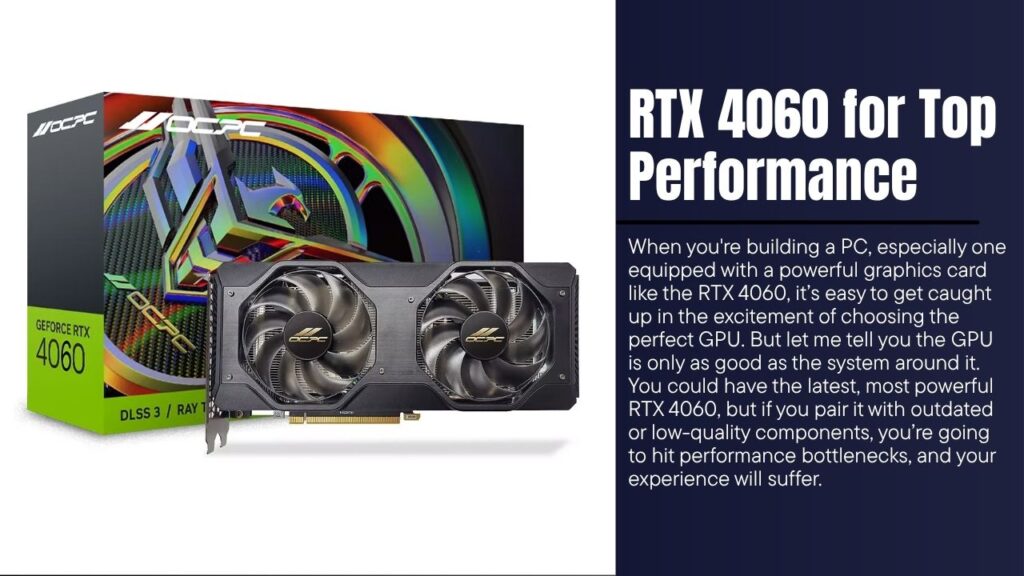
When you’re building a PC, especially one equipped with a powerful graphics card like the RTX 4060, it’s easy to get caught up in the excitement of choosing the perfect GPU. But let me tell you the GPU is only as good as the system around it. You could have the latest, most powerful RTX 4060, but if you pair it with outdated or low-quality components, you’re going to hit performance bottlenecks, and your experience will suffer.
That’s where I come in. In this article, I’m going to guide you through selecting the best components to pair with the RTX 4060. I’ll explain the logic behind each choice and give you tips on how to make sure every part of your build works together in perfect harmony. Whether you’re building your dream PC or upgrading your current setup, I’m here to make sure you get the most out of your investment.
We’ll cover everything from motherboards to CPUs, RAM, storage, cooling solutions, and even PSUs and cases. And by the end of this article, you’ll know exactly which components will elevate your system to its fullest potential no more guessing or wasting time on parts that don’t deliver.
Why the Right Components Matter: Getting the Most Out of the RTX 4060
When I started building my own PCs years ago, one of the biggest lessons I learned was that balance is key. Sure, the GPU is the heart of your system, but without the proper components to support it, your GPU’s power can be wasted. That’s why it’s so important to understand the relationships between each part of your system.
The RTX 4060 is a mid-range GPU with some seriously impressive specs, but it thrives when paired with the right components. For example, if you opt for a cheap CPU, it could bottleneck your GPU performance, causing lower frame rates, longer rendering times, and an overall sluggish experience. Similarly, if you choose insufficient RAM or a slow storage solution, your performance could take a hit.
Here’s the thing: pairing the RTX 4060 with top-tier components creates a well-balanced system, meaning you won’t experience bottlenecks, stuttering, or frustration. Instead, your PC will feel like it’s operating at peak efficiency smooth gameplay, lightning-fast load times, and seamless multitasking.
1. Motherboard: The Foundation for Your RTX 4060 Build
The motherboard is the backbone of your PC build. It connects all the components and provides the necessary pathways for them to communicate with each other. When choosing a motherboard for your RTX 4060, you need to ensure it has the right chipset, PCIe support, and form factor to support your needs.
What to Look For:
- PCIe 4.0 Support: The RTX 4060 utilizes PCIe 4.0, so you need a motherboard that supports this interface. PCIe 4.0 offers twice the data transfer speed of PCIe 3.0, meaning your GPU will perform at its best, with faster communication between your GPU and the rest of the system.
- Chipset Compatibility: If you’re going with an Intel CPU, look for a motherboard with a Z-series chipset (like the Z590). If you’re opting for AMD, a B550 or X570 chipset will work best.
- Form Factor: Depending on your case, you’ll need to choose between ATX, Micro-ATX, or Mini-ITX. ATX is the most common and offers the most room for expansion, but it’s up to you based on your space and design preferences.
Best Motherboards for the RTX 4060:
- ASUS ROG Strix Z590-E: This motherboard is perfect for Intel users who want top-tier gaming performance. With PCIe 4.0 support, it’s ready to unleash the full potential of the RTX 4060.
- MSI MAG B550 TOMAHAWK: For AMD users, this motherboard offers PCIe 4.0 support, solid build quality, and great overclocking potential at a reasonable price.
2. CPU: Matching the Power of the RTX 4060 Without Bottlenecks
One of the biggest mistakes I see people make when building a PC is underestimating the importance of the CPU. While the RTX 4060 is an incredible GPU, it needs a CPU that can keep up. Pairing the RTX 4060 with a weak processor is like putting a Ferrari engine in a car with low-quality tires you just won’t get the full performance.
What to Look For:
- Core Count: For gaming and content creation, I recommend at least a 6-core CPU. The more cores, the better your CPU will handle multitasking and rendering.
- Clock Speed: Higher clock speeds lead to better performance in tasks that require single-thread performance, such as gaming.
- Compatibility: Make sure your CPU matches the socket on your motherboard. For example, Intel’s 12th Gen CPUs use the LGA 1700 socket, while AMD Ryzen 5000 series uses AM4.
Top Picks for the RTX 4060:
- Intel Core i7-12700K: This 12-core, 20-thread CPU offers excellent performance for both gaming and content creation, and it pairs beautifully with the RTX 4060.
- AMD Ryzen 5 5600X: This 6-core, 12-thread CPU delivers fantastic single-core performance, which is crucial for gaming. It’s one of the best value CPUs for pairing with the RTX 4060.
3. RAM: The Silent Hero How Much Memory Do You Really Need?
When it comes to RAM, I’ve always believed in the saying, “more is better” but it’s not just about quantity. The speed and latency of your RAM are just as important as how much you have. Too little RAM can cause stuttering in games and slowdowns during multitasking, while too much can be overkill for basic tasks.
What to Look For:
- Capacity: For most users, 16GB of RAM is the sweet spot for gaming and general use. If you plan to do heavy content creation (video editing, 3D rendering, etc.), go for 32GB.
- Speed: Look for RAM that’s at least 3200 MHz. Faster RAM helps with system responsiveness and can give you a slight boost in performance, particularly in gaming.
- Latency: Lower latency (CL16 or CL18) is better for overall system responsiveness, especially in memory-intensive applications.
Best RAM Picks for the RTX 4060:
- Corsair Vengeance LPX 16GB (2 x 8GB) DDR4-3200: A reliable and budget-friendly option for most users, offering solid performance in gaming and general use.
- G.SKILL Ripjaws V Series 32GB (2 x 16GB) DDR4-3600: Ideal for power users and content creators who need more memory for multitasking and rendering.
4. Storage: SSDs That Keep Up with the RTX 4060
As someone who’s always on the lookout for speed, I can’t stress enough how much an SSD can improve your PC’s performance. The RTX 4060 will perform best with an SSD preferably an NVMe SSD which will drastically reduce load times for games and improve your system’s overall responsiveness.
What to Look For:
- NVMe SSD vs SATA SSD: NVMe SSDs are significantly faster than SATA SSDs, offering read and write speeds that can keep up with the RTX 4060’s power.
- Capacity: Aim for at least 1TB of storage to accommodate large games and media files. You can also add a secondary SATA SSD or HDD for mass storage.
Best Storage Picks for the RTX 4060:
- Samsung 970 EVO Plus 1TB NVMe SSD: With lightning-fast read/write speeds, the Samsung 970 EVO will improve load times and overall system performance.
- Crucial P3 500GB NVMe SSD: A budget-friendly option for those who don’t need a massive amount of storage but still want the speed benefits of NVMe.
5. Cooling System: Ensuring Your Rig Stays Cool Under Load
When you push your RTX 4060 to its limits with gaming or rendering, heat becomes a factor. If your components overheat, they’ll throttle performance to protect themselves, and your system will run slower than it should. Proper cooling is essential for keeping your build running smoothly.
What to Look For:
- Airflow: Make sure your case has plenty of airflow with mesh panels and multiple fans.
- Cooling Type: Depending on your space and overclocking plans, you can go with air cooling for a budget-friendly option or liquid cooling for better performance.
Best Cooling Options:
- Cooler Master Hyper 212 Evo: An affordable air cooler that delivers excellent cooling performance for mid-range builds.
- Corsair iCUE H100i Elite Capellix: A premium AIO liquid cooler that keeps temperatures low, even under heavy loads, while offering a sleek design.
6. Power Supply Unit (PSU): The Heart of Your Build
The PSU is often overlooked, but it’s arguably one of the most important components. If your PSU isn’t providing stable power to your system, you’ll run into crashes, system instability, and potential damage to your components.
What to Look For:
- Wattage: For a build with the RTX 4060, 650W to 750W should be more than enough, but ensure it can handle the power requirements of your entire system.
- Efficiency: Look for a PSU with at least an 80+ Gold certification, as this ensures high power efficiency and less heat generation.
Best PSU Picks:
- EVGA SuperNOVA 750 G5 80+ Gold: A high-efficiency PSU that provides stable power for your RTX 4060 and other components.
- Corsair RM750x 80+ Gold: A fully modular PSU that makes cable management easy while delivering reliable performance.
7. Case: Space to Grow Choosing the Right Case for the RTX 4060
Your case affects more than just the aesthetics of your build it plays a huge role in airflow, cable management, and overall system temperature. When choosing a case for your RTX 4060, make sure it has ample space for your GPU and provides proper cooling.
What to Look For:
- Airflow: Ensure the case has plenty of room for fans and mesh panels to allow for proper airflow.
- Size: Make sure the case fits your motherboard, GPU, and cooling solutions.
- Cable Management: A good case will help you organize cables to improve airflow and keep your system looking clean.
Best Case Picks:
- NZXT H510: A sleek, modern case with great airflow and easy cable management.
- Fractal Design Meshify C: A compact case that offers excellent airflow, perfect for keeping your system cool.
8. Monitor: Pairing the RTX 4060 with the Right Display
To truly experience the power of the RTX 4060, you need a monitor that can keep up. With its capabilities, you’ll want a display that offers high resolution and a fast refresh rate to match your GPU’s performance.
What to Look For:
- Resolution: For the best experience, aim for 1440p or 4K resolution.
- Refresh Rate: A 144Hz refresh rate is ideal for gaming, providing smooth and fluid visuals.
- Response Time: A low response time (1ms) is essential for fast-paced gaming.
Best Monitor Picks for the RTX 4060:
- Dell S2721DGF 27″ 1440p 165Hz: Offers stunning visuals and smooth performance for gaming.
- LG 27GN950-B 27″ 4K 144Hz: Perfect for content creators and gamers who want ultra-sharp visuals and a high refresh rate.
Conclusion: Your Ultimate RTX 4060 Build
Building a PC is about more than just choosing the best GPU it’s about creating a balanced system that works together. By carefully selecting the right motherboard, CPU, RAM, storage, cooling, PSU, and case, you’ll unlock the true potential of the RTX 4060, ensuring you get the best performance possible.
Take your time, make thoughtful decisions, and enjoy the process. After all, building a PC is about creating something that’s perfectly suited to your needs. Whether you’re gaming, creating content, or working on demanding tasks, the RTX 4060 is a powerhouse but only when paired with the right components.
FAQ
What CPU should I pair with the RTX 4060 for gaming?
The Intel Core i7-12700K or AMD Ryzen 5 5600X are excellent choices for pairing with the RTX 4060 for gaming.
Do I need a 4K monitor for the RTX 4060?
While the RTX 4060 supports 4K, a 1440p monitor with 144Hz refresh rate is a great balance between performance and visuals.
What PSU wattage is ideal for the RTX 4060?
A 650W to 750W PSU should be sufficient for most systems featuring the RTX 4060.
How much RAM do I need for gaming with the RTX 4060?
16GB of RAM is typically enough for gaming, but 32GB is recommended for content creators or heavy multitaskers.
Should I go for air or liquid cooling for the RTX 4060?
Liquid cooling is ideal for those pushing their PC’s limits with overclocking, but air cooling is more than enough for most users.