
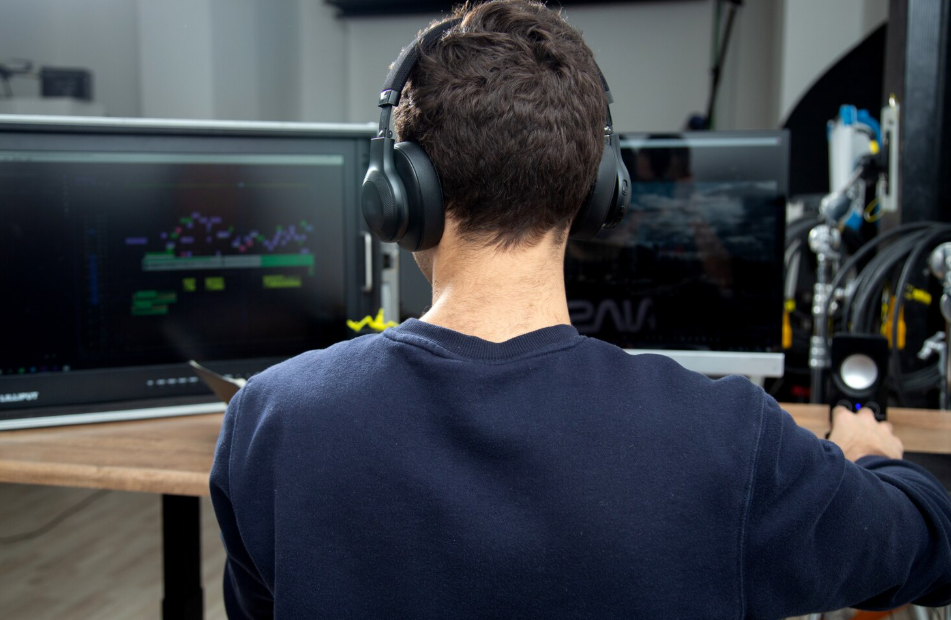
Before you can step into this exciting role, every aspiring professional must go through a console operator basic requirements assessment, which evaluates core technical, communication, and problem-solving skills. Understanding what the job entails and how to prepare for it can help you carve a promising path in the gaming industry.
When the lights dim and the crowd buzzes with anticipation, there’s one person quietly ensuring that everything runs flawlessly the console operator. Behind every seamless gaming event, live stream, or broadcast, this professional sits at the control desk, managing systems, monitoring equipment, and making sure the experience feels effortless.
What Exactly Does a Console Operator Do?
A console operator is the unseen hand behind live gaming productions, esports tournaments, and gaming content creation. They manage the technical side of gaming systems ensuring smooth transitions, audio-visual quality, network stability, and overall broadcast performance.
They’re not just “pressing buttons.” A console operator is essentially a technical director, troubleshooter, and performance guardian rolled into one.
Core Responsibilities Include:
- Monitoring and controlling multiple gaming systems or consoles during live operations
- Managing live feeds, video switchers, and broadcast equipment
- Coordinating with producers, announcers, and IT teams during gaming sessions or esports events
- Testing equipment before each session to prevent disruptions
- Troubleshooting software or hardware issues on the fly
- Ensuring high-quality output—from visuals to sound levels
In professional environments like gaming studios, esports arenas, or production hubs, console operators work alongside game developers, content managers, and event organizers.
A Day in the Life: Inside the Gaming Booth
A console operator’s day is dynamic, sometimes unpredictable—but always engaging. Here’s what a typical day might look like for someone working in a gaming or esports setting.
1. Morning Setup: The Calm Before the Storm
Most console operators start their day early, long before the event begins. Their first task is preparation. They check the equipment, calibrate consoles, ensure that all monitors are displaying correctly, and test sound quality.
They’ll run through a checklist:
- Confirm all consoles and systems are updated
- Test internet connections and latency
- Verify communication lines between control rooms and on-site teams
- Perform a console readiness test to identify technical glitches
2. Midday Coordination: Syncing with the Team
Once the technical setup is ready, console operators meet with production crews and gaming teams. They go over the event timeline, scene transitions, camera angles, and commentary cues.
This coordination ensures everyone’s on the same page before the live session starts. A skilled console operator knows that communication is as important as technical ability—especially in environments where timing and synchronization are everything.
3. Game Time: The Action Behind the Screen
When the event goes live, adrenaline kicks in.
From behind the control panel, console operators switch between feeds, manage overlays, monitor frame rates, and troubleshoot real-time issues. If a sound cutout happens, a video freezes, or a player’s feed lags, it’s their job to fix it instantly—often without the audience ever noticing.
They’re like conductors in an orchestra of technology. Everything must work in harmony.
Their responsibilities might include:
- Adjusting live video streams for optimal viewer experience
- Running overlays and graphics (scoreboards, timers, announcements)
- Managing communication between commentators and production crew
- Monitoring system performance using diagnostic software
It’s a high-pressure environment that rewards calmness, focus, and fast decision-making.
4. Post-Event Wrap-Up: Reviewing and Resetting
After the final whistle blows or the match ends, the work doesn’t stop. Console operators stay behind to analyze performance, back up data, and reset equipment for the next session.
They might also participate in post-event debriefs, discussing what went well and where technical improvements can be made.
At this stage, meticulous organization pays off. The ability to log issues, maintain system reports, and communicate feedback ensures smoother operations next time.
The Skills That Make a Great Console Operator
To succeed as a console operator, technical know-how must blend with creativity, communication, and focus. Here’s a closer look at the mix of skills that define a top performer:
Technical Skills
- Strong understanding of gaming consoles and hardware (PlayStation, Xbox, PC rigs, etc.)
- Familiarity with audio-visual systems and broadcast tools
- Knowledge of networking, streaming platforms, and diagnostic software
- Ability to troubleshoot quickly under pressure
Soft Skills
- Team communication—coordinating across multiple departments
- Time management—balancing multiple tasks simultaneously
- Attention to detail—spotting small issues before they escalate
- Adaptability—handling unpredictable changes mid-event
Personal Traits
- Passion for gaming and technology
- Calm demeanor under pressure
- Desire to continuously learn new systems and tools
Many professionals start as gaming enthusiasts or tech support specialists before transitioning into console operation roles.
Final Thoughts: Stepping Into the Booth
A day in the life of a console operator is filled with intensity, creativity, and satisfaction. It’s a career where technology meets artistry—where every button pressed and every signal monitored contributes to something unforgettable.
If you’re passionate about gaming, problem-solving, and technology, this path could be your gateway to an exciting career in the fast-paced gaming world.