
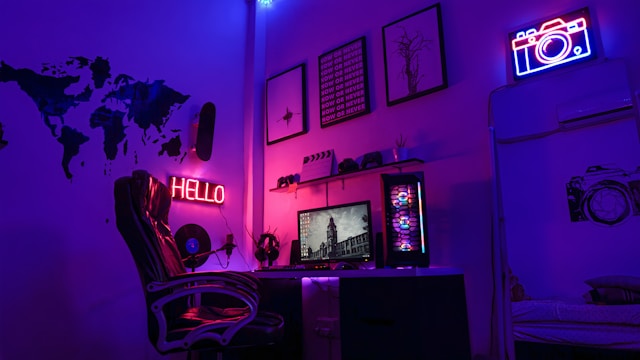
Creating a gaming setup at home goes beyond just having a powerful computer or console it’s about designing a space that enhances performance, comfort, and immersion. A well-thought-out setup can take your gaming experience from ordinary to extraordinary.
Whether you’re a casual gamer or aiming for a professional-level station, paying attention to the right details can make a huge difference. Here are five tips to help you create an amazing gaming setup at home.
1. Choose the Right ATX Case for Your Gaming PC
When building a custom gaming PC, selecting the right ATX case is a crucial decision. ATX cases offer more room for components compared to smaller micro-ATX or mini-ITX cases, making them perfect for gamers who want high performance and future upgradability. These cases allow for better airflow, cable management, and compatibility with larger graphics cards or advanced cooling systems. They also often come with additional slots for extra storage drives and expansion cards.
By choosing a high-quality ATX case, you not only improve your system’s functionality but also give your setup a professional and organised appearance.
2. Invest in a High-Resolution Monitor
Your monitor plays a huge role in how immersive your gaming feels. A high-resolution display, preferably 1440p or 4K, paired with a high refresh rate (120Hz or above), ensures sharp visuals and smooth gameplay. For competitive gamers, a fast response time is equally important to reduce input lag.
Additionally, opting for a curved monitor or dual-monitor setup can expand your field of view, making gameplay more engaging.
3. Optimise Lighting for Atmosphere
Lighting doesn’t just set the mood—it enhances focus and reduces eye strain. LED strips, RGB lighting, and smart bulbs can be placed behind monitors, under desks, or around the room to create an immersive environment.
Many gamers synchronise RGB lighting with in-game effects for a dynamic and personalised feel. Balanced lighting also prevents glare on screens, ensuring long sessions remain comfortable for your eyes.
4. Prioritise Ergonomics with Furniture
A great gaming setup should be comfortable, especially if you’re spending hours playing. An ergonomic gaming chair with lumbar support and adjustable height can prevent back pain.
Pair it with a sturdy desk that has enough space for your PC, monitor(s), and accessories. Cable management solutions such as desk grommets or under-desk trays help keep your area neat, reducing distractions and improving overall aesthetics.
5. Upgrade Your Audio Experience
Sound plays a major role in immersion, so don’t rely solely on built-in monitor speakers. Investing in high-quality gaming headsets or external speakers can dramatically improve your experience.
Surround-sound headsets, in particular, give you directional awareness in competitive games, while external speakers create a theatre-like atmosphere for single-player adventures. For added flexibility, consider a headset stand with built-in charging ports to keep your gear organised.
Conclusion
An amazing gaming setup combines performance, comfort, and atmosphere. By choosing the right ATX case for your PC, upgrading your monitor, optimising lighting, prioritising ergonomic furniture, and enhancing audio quality, you can transform your gaming corner into a professional-level station. With thoughtful planning and smart investments, your home gaming setup can become the perfect environment for both fun and competition.