
Best Budget Gaming Laptop for Beginners Under $800
6 expert-tested picks that actually game well in 2026 with honest specs, real pros & cons, and direct Amazon links. No fluff, just answers.
What $800 Gets You in 2026 Honest Expectations
Two years ago, $800 on a gaming laptop meant weak GPUs, bad displays, and builds that felt cheap. That’s no longer the case.
What You DO Get
In 2026, sub-$800 laptops can offer a dedicated NVIDIA RTX 4050 GPU, a 144Hz–165Hz IPS display, 16GB DDR5 RAM, and a solid build from trusted brands like HP, ASUS, Acer, Lenovo, and MSI.
What You DON’T Get
Don’t expect 4K displays, OLED panels, premium DLSS 4 hardware (RTX 5000 series), thin-and-light chassis, or 10-hour battery life. These are gaming workhorses expect 2–4 hours of battery under gaming load.
The Golden Rule: GPU First
The most important spec is the GPU. Always choose RTX 4050 over RTX 3050 if it’s within budget the performance gap is significant for 1080p gaming. A laptop’s TGP (Total Graphics Power) also matters: an RTX 3050 at 75W outperforms one at 40W, even with the same name on the box.
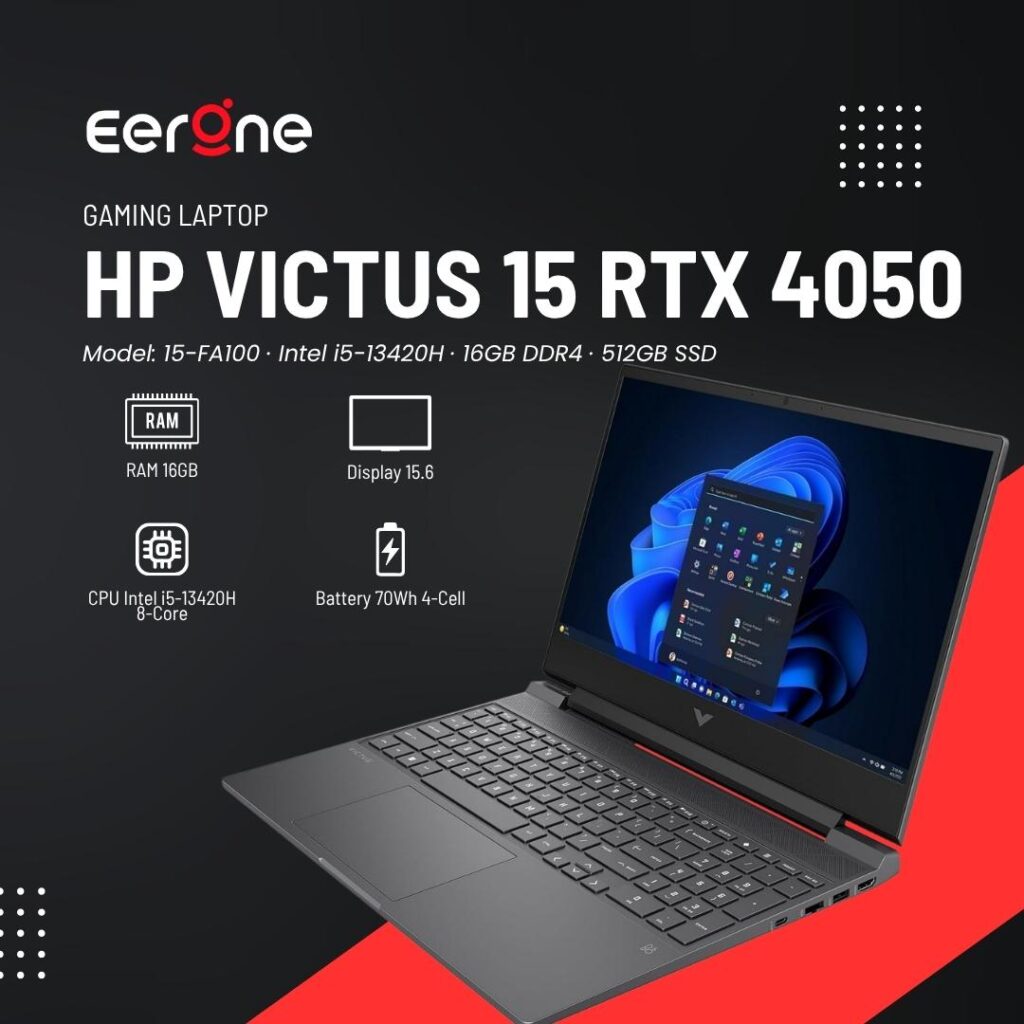
1. HP Victus 15 (RTX 4050)
Model: 15-FA100 · Intel i5-13420H · 16GB DDR4 · 512GB SSD
4.3 ★★★★★ 4.3 out of 5 stars (17)
Key Specifications:
CPU Intel i5-13420H (8-Core)
Battery 70Wh 4-Cell
Wireless MediaTek Wi-Fi 6 + BT 5.3
Storage 512GB NVMe SSD
RAM 16GB DDR4 3200MHz
OS Windows 11 Home
The HP Victus 15 is the easiest recommendation for any beginner spending under $800 in 2026. RTX 4050 delivers genuine 1080p gaming at medium-high settings in popular titles like Fortnite, Valorant, GTA V, and even Cyberpunk at lower settings. The 144Hz panel makes games feel noticeably smoother than 60Hz. Audio powered by B&O is a rare premium touch at this price.
| Pros | Cons |
|---|---|
| RTX 4050 best GPU in this price range | Display only 250 nits dim outdoors |
| 144Hz display is smooth for gaming | 45% NTSC color gamut (not vibrant) |
| B&O audio best speakers in class | 720p webcam (basic quality) |
| Clean non-gamer design for school/work | Gets warm under heavy load |
| HDMI 2.1 for external display | No Thunderbolt 4 support |
| Wi-Fi 6 + Bluetooth 5.3 for low-latency wireless | — |
Best For
| User Type / Usage |
|---|
| First-time PC gamers |
| Students who also game |
| Fortnite and Valorant players |
| Office + Gaming combo users |
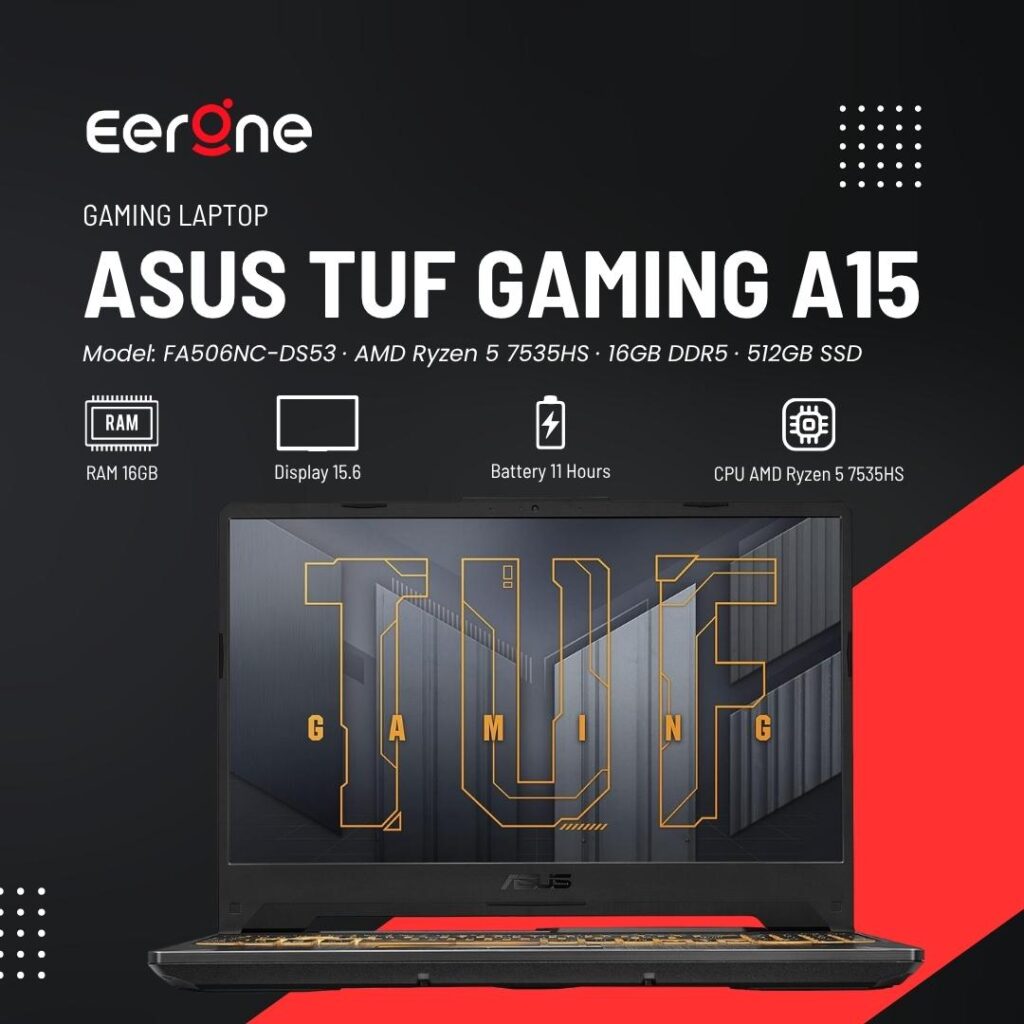
2. ASUS TUF Gaming A15
Model: FA506NC-DS53 · AMD Ryzen 5 7535HS · 16GB DDR5 · 512GB SSD
4.2 ★★★★★ 4.2 out of 5 stars (248)
CPU AMD Ryzen 5 7535HS (6-Core)
GPU NVIDIA RTX 3050 6GB GDDR6
RAM 16GB DDR5-4800MHz
Storage 512GB PCIe Gen 4 SSD
Display 15.6″ FHD IPS 144Hz Adaptive Sync
OS Windows 11 Home
Build MIL-STD-810H Certified
The ASUS TUF A15 is built like a tank MIL-STD-810H military-grade certification means it can handle drops, dust, and extreme temps. AMD Ryzen 5 7535HS handles multitasking brilliantly. The downside: RTX 3050 instead of 4050, so performance in newer AAA titles is lower. But for esports (Valorant, CS2, Fortnite) it runs everything at 100+ FPS easily. Gen 4 SSD is blazing fast.
| Pros | Cons |
|---|---|
| MIL-STD-810H military-grade durability | RTX 3050 is slower than RTX 4050 |
| AMD Ryzen 5 7535HS handles multitasking well | Lower performance in newer AAA games |
| Excellent performance for esports titles | May require reduced settings in demanding games |
| 100+ FPS in Valorant, CS2, and Fortnite | — |
| PCIe Gen 4 SSD delivers very fast load times | — |
| Strong cooling and reliable TUF build quality | — |
Best For
| User Type / Usage |
|---|
| Esports gamers |
| Students needing a durable laptop |
| Valorant, CS2, and Fortnite players |
| Everyday multitasking and productivity |
| Users who prioritize durability over maximum graphics performance |
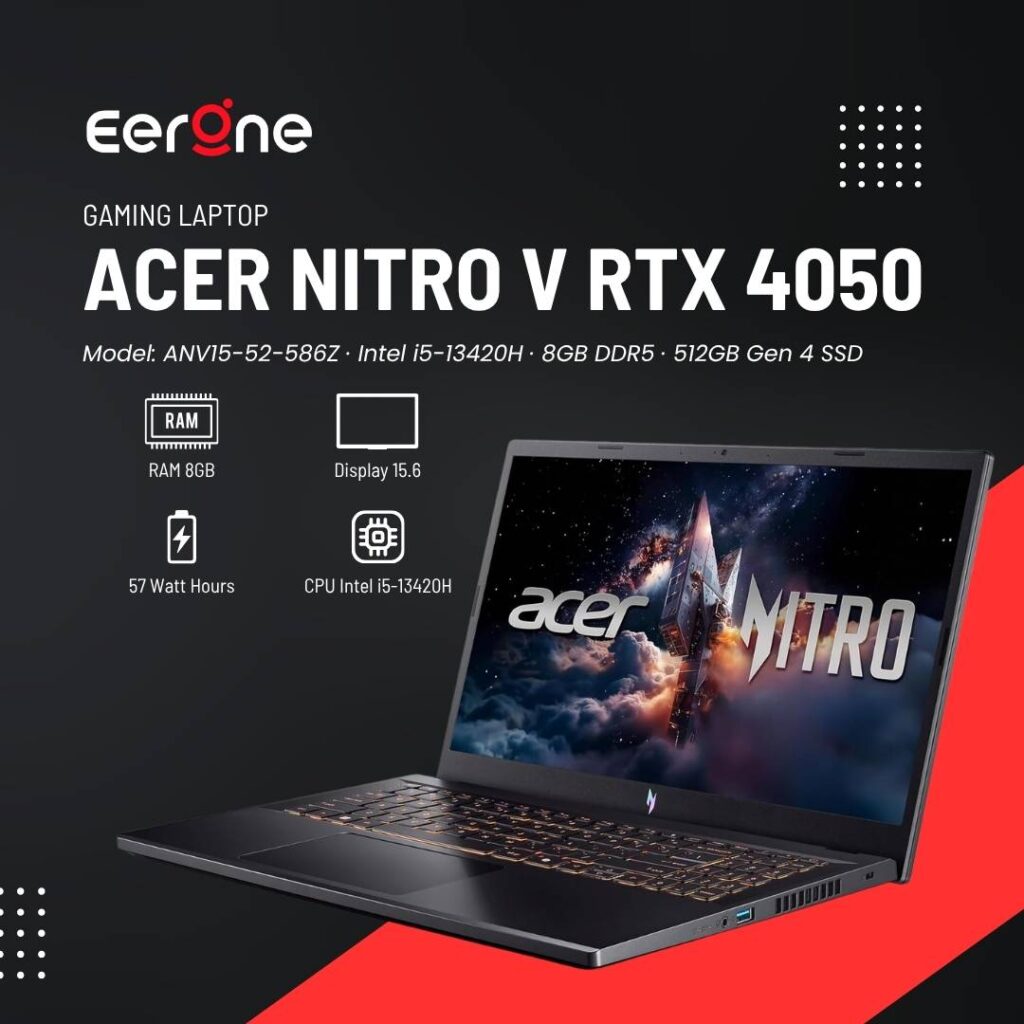
3. Acer Nitro V (RTX 4050)
Model: ANV15-52-586Z · Intel i5-13420H · 8GB DDR5 · 512GB Gen 4 SSD
4.5 ★★★★★ 4.5 out of 5 stars (342)
CPU Intel i5-13420H (8-Core)
GPU NVIDIA RTX 4050 Laptop GPU
RAM 8GB DDR5 (upgradeable to 32GB)
Storage 512GB PCIe Gen 4 SSD
Display 15.6″ FHD IPS 165Hz
Webcam HD Webcam + Dual Mic
OS Windows 11 Home
The Acer Nitro V is the best display laptop under $800 the 165Hz IPS panel is smoother than 144Hz competitors and most laptops at this price don’t even attempt it. RTX 4050 with DLSS 3.5 delivers excellent 1080p performance. Only catch: 8GB RAM needs a manual upgrade to 16GB for best performance (costs ~$25 extra). After the upgrade, this is arguably the best value RTX 4050 laptop available.
| Pros | Cons |
|---|---|
| 165Hz display smoothest in its class | Only 8GB RAM out of the box; upgrade recommended |
| RTX 4050 with DLSS 3.5 AI upscaling | Average build quality (mostly plastic) |
| Killer Wi-Fi 6 provides low-latency gaming | Gets hot during extended gaming sessions |
| Ethernet, USB-C, and 3× USB-A ports offer excellent connectivity | Webcam is basic HD quality |
| PCIe Gen 4 SSD delivers fast boot and load times | — |
| AI-powered RTX features at an affordable price | — |
Best For
| User Type / Usage |
|---|
| FPS gamers who benefit from a high-refresh-rate display |
| Budget-conscious buyers seeking an RTX 4050 laptop |
| Competitive gaming (Valorant, CS2, Fortnite, Apex Legends) |
| Users who plan to upgrade RAM and storage themselves |
| Gamers wanting DLSS 3.5 and AI-enhanced graphics features |
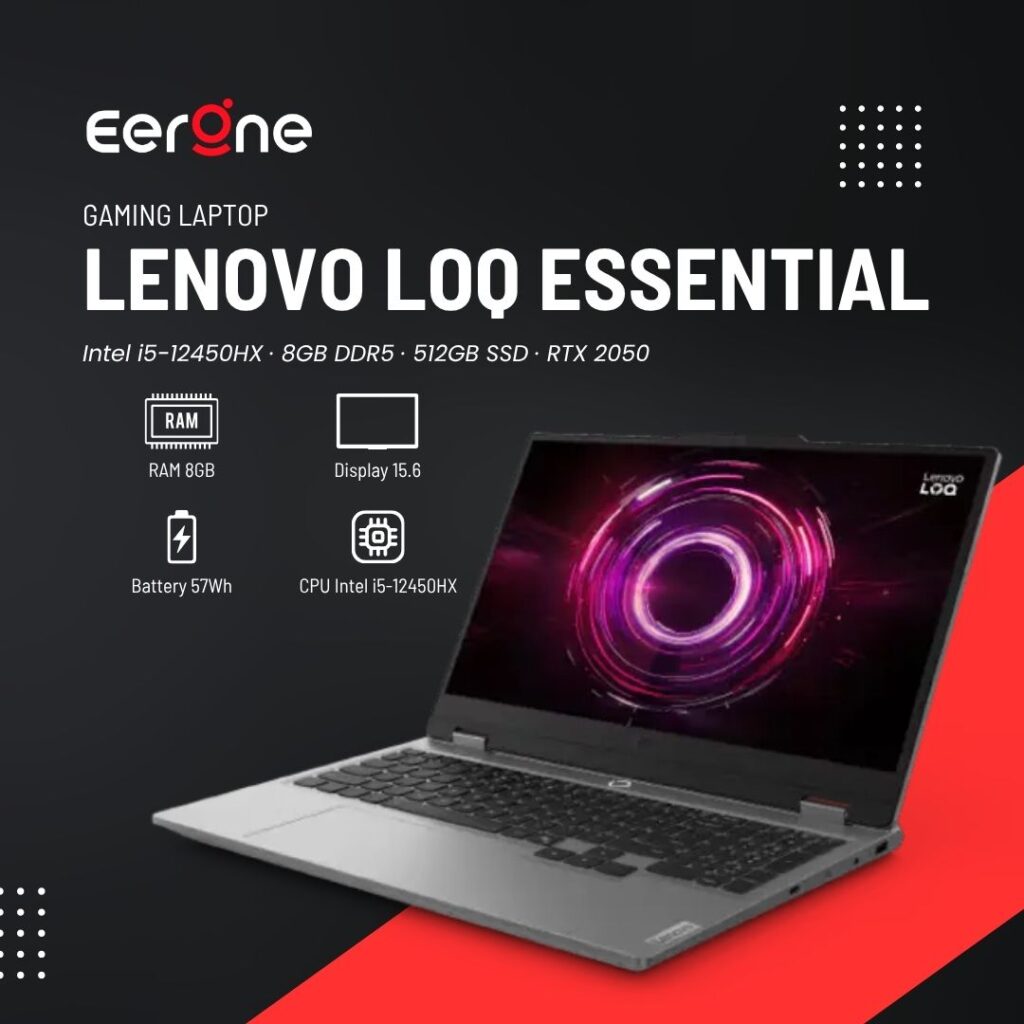
4. Lenovo LOQ Essential
Intel i5-12450HX · 8GB DDR5 · 512GB SSD · RTX 2050
4.5 ★★★★★ 4.5 out of 5 stars (342)
CPU Intel i5-12450HX (8C/12T)
GPU NVIDIA RTX 2050 6GB GDDR6
RAM 8GB DDR5 (up to 32GB)
Storage 512GB PCIe SSD
Brightness 300 nits (best in class)
Wireless Wi-Fi 6 + Bluetooth 5.2
Ports 2x USB-A, USB-C, HDMI 2.1, RJ-45
The Lenovo LOQ Essential is the gateway into the LOQ brand which is Lenovo’s dedicated budget gaming line. The RTX 2050 handles esports titles and older games well, but will struggle with newer AAA games. The real story here is the 300-nit display (brightest in this list) and solid i5-12450HX CPU performance. Best for beginners on a tight budget who mainly play Minecraft, Roblox, Fortnite, or Valorant.
| Pros | Cons |
|---|---|
| 300 nits display noticeably brighter screen | RTX 2050 is the weakest GPU in this comparison |
| Cheapest RTX-powered laptop in the list | Only 8GB RAM; upgrade recommended |
| Reliable Lenovo build quality | Base model lacks a backlit keyboard |
| Upgradeable RAM and storage | Will struggle with demanding AAA games in 2026 |
| HDMI 2.1 support for 4K external displays | — |
| Good balance for schoolwork and light gaming | — |
Best For
| User Type / Usage |
|---|
| Buyers with a tight budget under $500 |
| Fortnite, Minecraft, and Roblox players |
| Students needing a laptop for school and casual gaming |
| Lenovo brand enthusiasts |
| Users planning future RAM and storage upgrades |
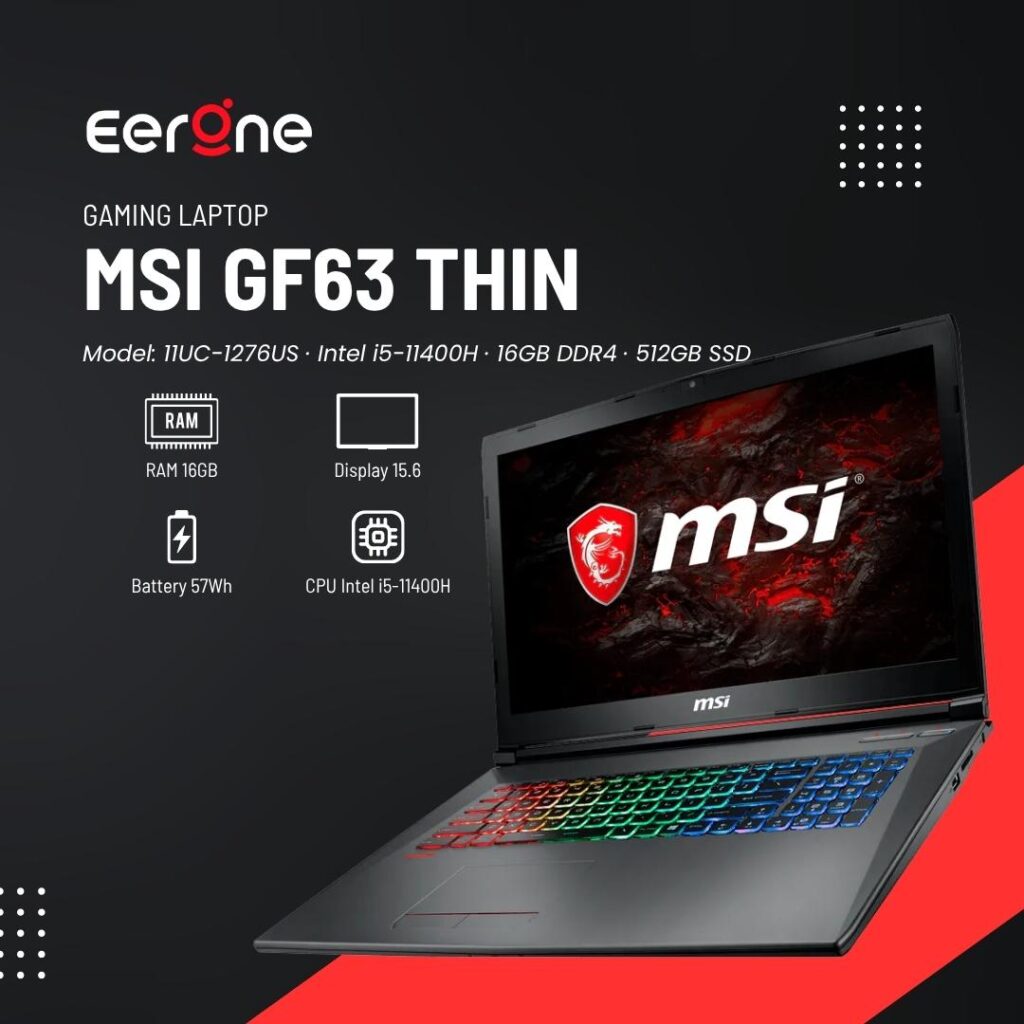
5. MSI GF63 Thin
Model: 11UC-1276US · Intel i5-11400H · 16GB DDR4 · 512GB SSD
4.3 ★★★★★ 4.3 out of 5 stars (96)
CPU Intel i5-11400H (6-Core)
GPU NVIDIA RTX 3050 4GB GDDR6
RAM 16GB DDR4 (2 slots)
Storage 512GB NVMe SSD
Display 15.6″ FHD IPS 144Hz
Weight 1.86kg (lightest here)
Ports USB-C, 3x USB-A, HDMI, RJ-45
The MSI GF63 Thin stands out for one big reason: it’s the lightest gaming laptop here at only 1.86kg and it doesn’t look like a gaming laptop. The brushed aluminum lid with subtle red keyboard trim means you can use this in a library, coffee shop, or classroom without sticking out. 16GB RAM comes included (no upgrade needed). GPU is RTX 3050 4GB enough for esports and older titles, but won’t max out 2026 AAA games.
| Pros | Cons |
|---|---|
| Lightest laptop in this list at just 1.86kg | RTX 3050 with only 4GB VRAM is relatively weak |
| Aluminum lid gives a premium feel under $500 | 11th Gen Intel processor is an older generation |
| 16GB RAM included no immediate upgrade needed | Keyboard flex can be noticeable during heavy typing |
| Discreet design suitable for school and work | Speakers offer only average audio quality |
| 144Hz display is excellent for the price | — |
| Cooler Boost 5 helps keep temperatures under control | — |
Best For
| User Type / Usage |
|---|
| Users who prioritize portability |
| Students who commute frequently |
| Those wanting a subtle, non-gamer design |
| Budget esports gamers |
| Users looking for a lightweight laptop with 16GB RAM included |
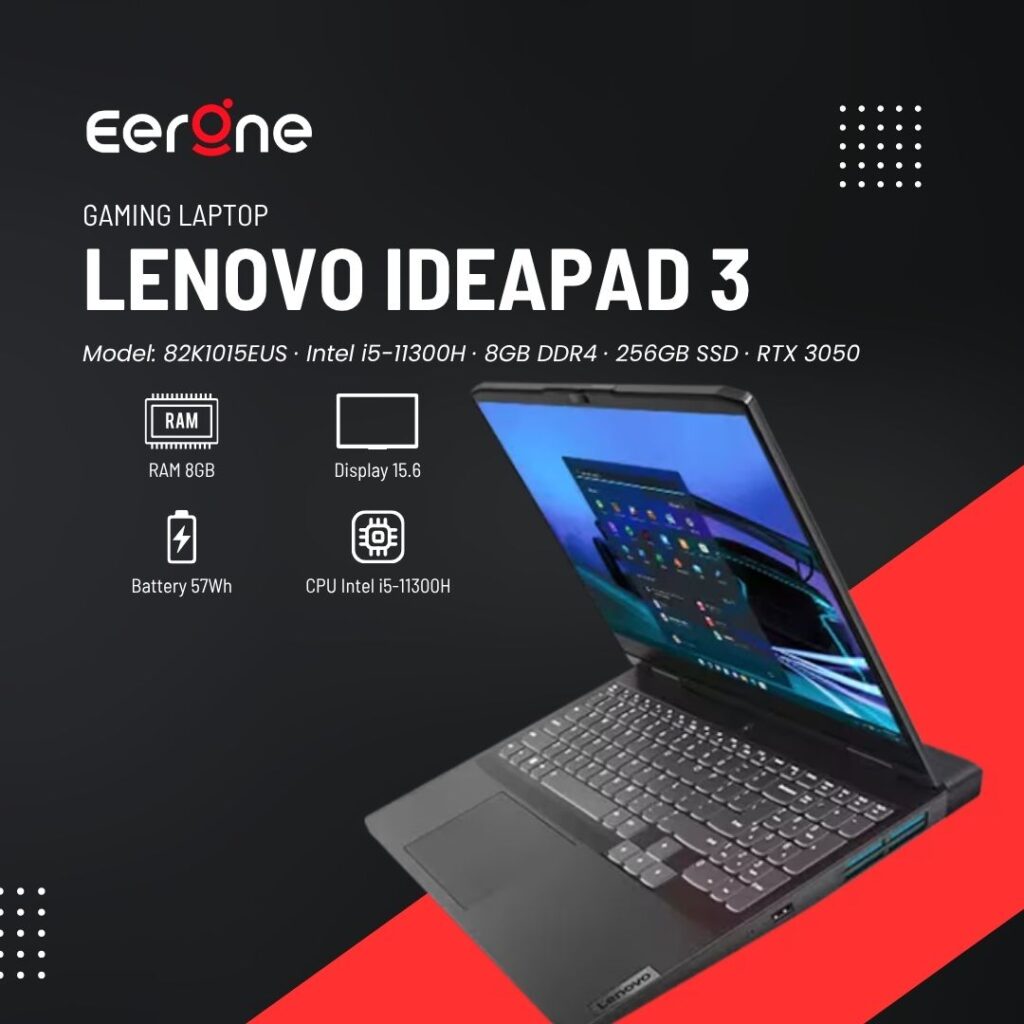
6. Lenovo IdeaPad Gaming 3
Model: 82K1015EUS · Intel i5-11300H · 8GB DDR4 · 256GB SSD · RTX 3050
4.6 ★★★★★ 4.6 out of 5 stars (18)
CPU Intel i5-11300H (4-Core)
GPU NVIDIA RTX 3050 Laptop GPU
RAM 8GB DDR4 (2 slots)
Storage 256GB PCIe SSD
Display 15.6″ FHD IPS 120Hz
Wireless Wi-Fi 5 + Bluetooth
Color Shadow Black
The Lenovo IdeaPad Gaming 3 is the most affordable entry point into dedicated GPU gaming. At ~$350, it won’t compete with the RTX 4050 machines above, but it handles esports games perfectly Minecraft, Roblox, Valorant, Among Us, Fortnite at medium settings. The 256GB SSD is a limitation you’ll want an external drive or SSD upgrade quickly. Best if you’re a total beginner with a very strict budget.
| Pros | Cons |
|---|---|
| Cheapest option with a dedicated GPU | 256GB SSD fills up very quickly |
| RTX 3050 handles esports titles smoothly | Only 8GB RAM; upgrade recommended |
| Reliable Lenovo build quality | 11th Gen Intel processor is outdated |
| RAM and SSD can be upgraded later | 120Hz display instead of 144Hz |
| Excellent entry-level gaming laptop | Wi-Fi 5 is older than newer wireless standards |
| Good upgrade path for future improvements | — |
Best For
| User Type / Usage |
|---|
| Absolute budget beginners |
| Kids getting their first gaming laptop |
| Minecraft, Roblox, and Fortnite players |
| Gamers upgrading from a console |
| Users looking for an affordable entry into PC gaming |
Side-by-Side Comparison
| Laptop | GPU | CPU | RAM | Display | Price | Best For |
|---|---|---|---|---|---|---|
| HP Victus 15 | RTX 4050 | Intel Core i5-13420H | 16GB DDR4 | 144Hz FHD | See Price | Best Overall |
| ASUS TUF A15 | RTX 3050 | AMD Ryzen 5 7535HS | 16GB DDR5 | 144Hz FHD | See Price | Best Build Quality |
| Acer Nitro V | RTX 4050 | Intel Core i5-13420H | 8GB DDR5* | 165Hz FHD | See Price | Best Display |
| Lenovo LOQ Essential | RTX 2050 | Intel Core i5-12450HX | 8GB DDR5* | 144Hz FHD | See Price | Entry-Level RTX Gaming |
| MSI GF63 Thin | RTX 3050 | Intel Core i5-11400H | 16GB DDR4 | 144Hz FHD | See Price | Lightest & Most Portable |
| Lenovo IdeaPad Gaming 3 | RTX 3050 | Intel Core i5-11300H | 8GB DDR4* | 120Hz FHD | See Price | Cheapest Option |
Beginner’s Buying Guide What Actually Matters
1. GPU The Most Important Spec
For gaming, the GPU is everything. In 2026, the hierarchy is: RTX 4050 > RTX 3050 > RTX 2050. If your budget allows, always choose RTX 4050 it supports DLSS 3.5 AI upscaling, which boosts frame rates significantly in supported games.
2. Display Refresh Rate 144Hz vs 120Hz vs 165Hz
A 144Hz display makes a huge visible difference coming from a 60Hz screen — games feel faster and more fluid. The Acer Nitro V’s 165Hz is even better for competitive play. Avoid 60Hz at all costs for gaming.
3. RAM 8GB vs 16GB
16GB is the minimum for comfortable gaming in 2026. If a laptop comes with 8GB (like the Acer Nitro V or Lenovo LOQ), budget an extra $20–30 for a RAM upgrade. Most laptops here have accessible SODIMM slots.
4. AMD vs Intel Which is Better?
Intel (i5-13420H) offers stronger single-core gaming performance. AMD (Ryzen 5 7535HS) handles multitasking and creative workloads better. For pure gaming at 1080p, both are excellent it won’t be a noticeable difference day-to-day.
5. Storage How Much SSD Do You Need?
512GB is the sweet spot. One modern AAA game can be 100GB+, so 256GB fills up embarrassingly fast. If you buy the Lenovo IdeaPad Gaming 3 (256GB), get an external SSD or upgrade the internal drive.
6. Battery Life Honest Expectations
Gaming laptops burn through batteries. Expect 2–4 hours under gaming load and 4–6 hours for light tasks. None of these will last a full school day without charging. Always carry the charger
FAQs
1. Is a gaming laptop under $800 worth it in 2026?
Yes, absolutely. RTX 4050 laptops under $800 can run most popular games at 1080p medium-high settings at 60–100+ FPS. Two years ago this wasn’t possible at this price. The sub-$800 market is genuinely good in 2026.
2. Which laptop is best for Fortnite, Valorant, or Minecraft?
Any laptop on this list handles Fortnite, Valorant, and Minecraft easily at 100+ FPS. For these esports titles, even the budget Lenovo IdeaPad Gaming 3 ($350) is more than enough.
3. RTX 4050 vs RTX 3050 how big is the difference?
Significant. The RTX 4050 is roughly 30–50% faster in newer games and supports DLSS 3.5 with AI upscaling. For AAA games like Cyberpunk, GTA 6, or Hogwarts Legacy, the 4050 handles medium settings comfortably where the 3050 struggles.
4. Can I upgrade RAM and SSD later?
Most laptops here (except some HP Victus models) have accessible SODIMM slots. The Lenovo LOQ and ASUS TUF A15 are particularly upgrade-friendly. Always check before buying if upgradeability is important to you.
5. Can I stream on Twitch while gaming on these laptops?
Yes with RTX 4050 and an i5 processor, you can stream to Twitch or YouTube at 1080p/60fps in less demanding games. For heavier titles, drop graphics settings slightly or stream at 720p.
6. Which has the best battery life?
For non-gaming use, the ASUS TUF A15 and MSI GF63 Thin offer the best battery endurance (~5–6 hours browsing). Under gaming load, all laptops here drop to 2–3 hours. Always carry the charger when gaming.
7. What’s my single best recommendation as a total beginner?
The HP Victus 15 (RTX 4050). It has the best GPU for the price, a clean design that doesn’t scream “gamer”, B&O speakers, and 144Hz display. It’s the most well-rounded choice with zero compromises for beginners.