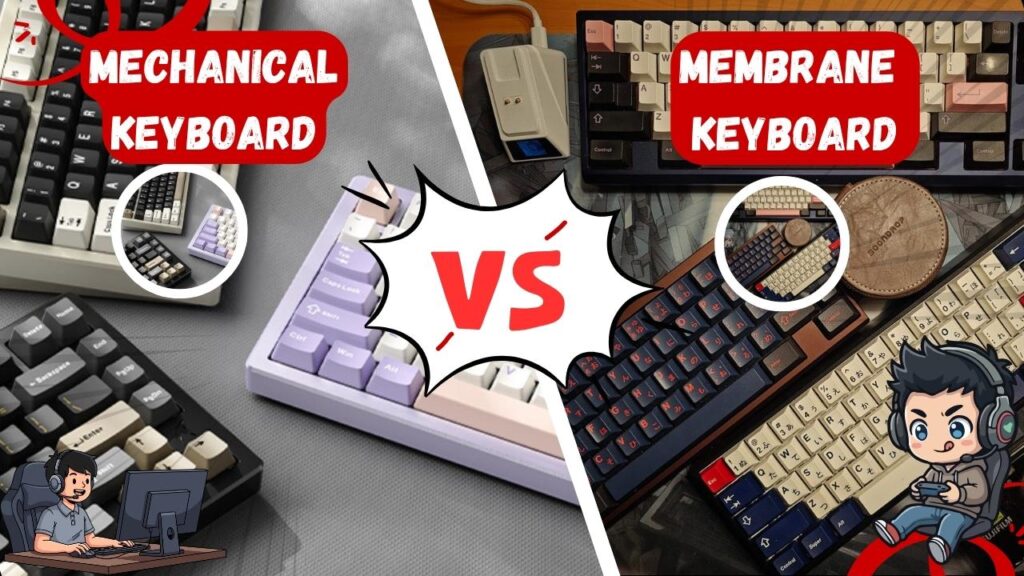
The mechanical keyboard vs membrane debate has been going on in gaming communities for years. Every forum thread, every YouTube comment section, every Discord server has an opinion. Some swear that mechanical keyboards are the only serious choice for gaming. Others argue that membrane keyboards are quieter, cheaper, and perfectly adequate for competitive play.
The truth? Both sides have a point and the right answer depends entirely on how you game, where you game, and what matters most to you personally.
I have used both extensively across years of gaming from casual single-player adventures to competitive FPS sessions and in this guide, I am going to give you the most honest breakdown of mechanical vs membrane keyboards for gaming in 2026. I will cover the key differences, the real-world performance gaps, and the situations where each type genuinely wins. Then I will share my top product picks from Amazon for each category so you can make your decision and start gaming better today.
Let us settle this debate once and for all.
You might also want to read:
- 7 Best Gaming Keyboards for Beginners Under $100 2026 Guide
- Best Gaming Setup Under $500 Complete Budget Build Guide 2026
- Best SSD for Gaming Load Times (Fastest Options 2026)
What Is a Mechanical Keyboard?
A mechanical keyboard uses individual physical switches under each keycap. Every single key has its own dedicated switch mechanism typically consisting of a spring, a stem, and two metal contact points. When you press a key, the stem travels downward until it reaches the actuation point, the two contacts meet, and the keypress registers. Release the key, the spring pushes the stem back up, and the switch resets.
The result is a keypress that has a clearly defined actuation point, a consistent feel, and a physical response that you can both feel and depending on the switch type hear.
Gaming-grade tactile mechanical switches deliver subtle feedback through the actuation moment ideal for split-second decisions in competitive and FPS gaming.
Types of Mechanical Switches
This is the most important thing to understand about mechanical keyboards. Not all mechanical switches are the same and the switch type determines how your keyboard feels and sounds more than any other factor.
Linear Switches (Red, Yellow, Speed) Smooth from top to bottom with no tactile bump and no audible click. Fast, quiet for mechanical, and the most popular choice for gaming. The keystroke feels like a smooth press with consistent resistance all the way down.
Tactile Switches (Brown, Clear) A physical bump at the actuation point that you can feel through your fingers without an audible click. You know exactly when the key has registered. Great for both gaming and typing.
Clicky Switches (Blue, Green) Both a tactile bump and a loud, satisfying click sound at actuation. The most satisfying switch type to type on but the loudest by a significant margin. Not ideal for shared spaces or late-night gaming.
What Is a Membrane Keyboard?
A membrane keyboard works differently. Instead of individual switches, it uses three layers of membranes a top layer with conductive traces, a non-conductive middle spacer layer with holes at each key position, and a bottom layer. When you press a key, the top layer flexes through the hole in the middle layer and makes contact with the bottom layer, registering the keypress.
The rubber dome beneath each keycap provides resistance and pushes the key back up when you release it. The result is a softer, squishier keystroke without a defined actuation point.
Most budget keyboards, laptop keyboards, and office keyboards use membrane technology. They are cheaper to manufacture, quieter to type on, and spill-resistant by design.
Mechanical vs Membrane The Key Differences
Let me break down every meaningful difference between mechanical and membrane keyboards for gaming. No marketing language just the honest facts.
1. Actuation Point and Consistency
Mechanical: Every switch has a defined actuation point the exact moment the keypress registers. This point is the same every time you press the key, regardless of how hard you press or how long you have been gaming. Consistency is one of mechanical keyboards’ greatest strengths for competitive play.
Membrane: No defined actuation point. The key registers based on how far down the rubber dome is pressed which means slightly different keypresses can register at slightly different depths. Over time, rubber domes wear unevenly and become inconsistent across different keys.
Winner: Mechanical defined actuation gives more reliable, consistent input registration.
2. Response Time and Input Speed
Mechanical: Modern mechanical switches actuate between 1.5mm and 2mm of travel. Speed switches (like Razer Yellow or Kailh Speed Silver) reduce this to 1.0mm making them among the fastest available input devices for gaming. Rapid Trigger technology, available on Hall Effect keyboards, resets the switch as soon as it begins to rise rather than waiting for full release providing even faster reactivation.
Membrane: Rubber domes typically require the full key travel to compress before registering meaning more travel distance before actuation. For casual gaming this is imperceptible. For competitive gaming at high levels, the difference is measurable.
Winner: Mechanical especially for competitive FPS gaming where microseconds matter.
3. Tactile Feedback During Gaming
Mechanical: With tactile or clicky switches, you receive physical confirmation the moment a key registers. In fast-paced games, this confirmation helps you know your inputs landed without looking at the keyboard or waiting for in-game feedback.
Membrane: No tactile bump means no physical confirmation of registration. You press until you feel the bottom of the key travel which is past the point of registration making it harder to know exactly when your input counted.
Winner: Mechanical tactile feedback aids accuracy in competitive scenarios.
4. Noise Level
Mechanical: This is where membrane wins decisively. Mechanical switches range from moderately quiet (linear red) to extremely loud (blue clicky). Even the quietest mechanical keyboards produce more noise than a good membrane keyboard.
Membrane: Membrane keyboards are significantly quieter. The rubber dome absorbs sound at the bottom of the keystroke, and there is no physical contact between two separate components at actuation. For gaming in shared spaces, during late-night sessions, or in environments where noise matters membrane is genuinely better.
Winner: Membrane significantly quieter in almost all configurations.
5. Durability and Lifespan
Mechanical: PBT keycaps provide excellent heat and wear resistance for optimal gaming performance after hundreds of hours of gaming. Beyond keycaps, the switches themselves are rated for 50-100 million keystrokes each meaning a mechanical keyboard used daily for gaming typically lasts 10-15 years before switches begin to fail.
Membrane: Rubber domes degrade over time. Under heavy daily use, the domes soften and flatten within 2-4 years, creating an increasingly mushy and inconsistent typing feel. Budget membrane keyboards can feel noticeably degraded within 12-18 months of heavy gaming use.
Winner: Mechanical significantly longer lifespan under daily gaming use.
6. Price
Mechanical: Entry-level mechanical gaming keyboards start around $35-40 for genuine mechanical switches. Mid-range options with hot-swap capability range from $60-100. Premium options with Hall Effect switches, wireless connectivity, and advanced features range from $80-200+.
Membrane: Budget gaming membrane keyboards start under $20. Quality gaming membrane keyboards with RGB and anti-ghosting features range from $30-70. Premium gaming membrane options like the Razer Ornata (mecha-membrane hybrid) reach $80-100.
Winner: Membrane lower entry point for basic gaming use.
7. Customization
Mechanical: Hot-swappable mechanical keyboards let you change every switch without tools or soldering giving you complete control over the feel, sound, and weight of every keypress. Keycap replacements, lubing, foam modifications, and custom stabilizers allow endless personalization.
Membrane: No meaningful customization. You get what the manufacturer provides. Keycap replacement is generally not possible without specialized knowledge.
Winner: Mechanical no competition here.
8. Anti-Ghosting Performance
Mechanical: Most mechanical gaming keyboards feature N-key rollover meaning every key press is independently recognized regardless of how many other keys are pressed simultaneously. 6-Key rollover anti-ghosting performance provides reliable key input versus non-gaming mechanical keyboards.
Membrane: Budget membrane keyboards often limit rollover to 6 keys simultaneously. Better gaming membrane keyboards include N-key rollover, but it is less universal than in the mechanical segment.
Winner: Mechanical more reliable anti-ghosting across the price range.
Head to Head Quick Comparison Table
| Feature | Mechanical | Membrane |
| Actuation Point | Defined consistent | Undefined variable |
| Response Speed | Faster | Slower |
| Tactile Feedback | Yes switch dependent | No |
| Noise Level | Louder | Quieter |
| Durability | 50-100M keystrokes | 2-4 years typical |
| Price | $35-$200+ | $20-$100 |
| Customization | Extensive | None |
| Anti-Ghosting | N-key rollover standard | Varies |
| Best For | Competitive gaming | Casual/quiet gaming |
When Should You Choose a Mechanical Keyboard for Gaming?
Choose mechanical if:
- You play competitive FPS games Valorant, CS2, Apex Legends where input precision matters
- You want a keyboard that lasts for years without degrading
- You game alone or in an environment where noise is not a concern
- You want to customize your keyboard’s feel over time
- You are upgrading from a membrane keyboard and want a meaningful improvement
- You type a lot outside of gaming and want satisfying feedback
When Should You Choose a Membrane Keyboard for Gaming?
Choose membrane if:
- You game in a shared space apartment, dorm room, bedroom while others sleep
- You are on a very tight budget and need a functional keyboard immediately
- You play casual games where competitive precision is not a priority
- You prefer a quieter, softer typing experience
- You are buying a first keyboard and want the lowest possible entry cost
Our Top Picks 4 Best Mechanical Gaming Keyboards on Amazon 2026
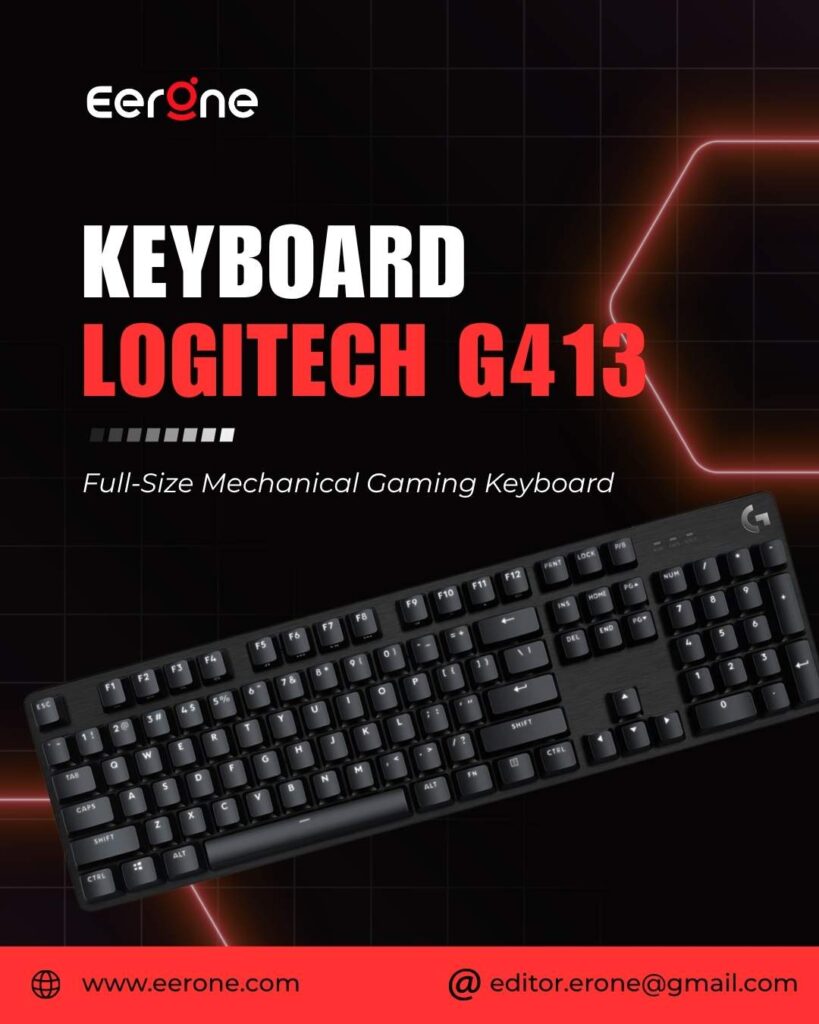
1. Logitech G413 SE Full-Size Mechanical Gaming Keyboard
4.6 ★★★★★ 4.6 out of 5 stars (1,564)
Switch: Long Hua Tactile Mechanical
Layout: Full Size 104 Keys
Keycaps: Durable PBT
Frame: Aluminum-Magnesium Alloy
Anti-Ghosting: 6-Key Rollover
Lighting: White LED Backlight
Media Keys: 12 FN Shortcuts
Connection: USB Wired
The G413 SE features tactile mechanical switches, PBT keycaps, 6-key rollover anti-ghosting performance, a black-brushed aluminum top case with white LED lighting, 12 function key media controls, and reliable USB-corded technology.
The Logitech G413 SE is the entry point into Logitech’s gaming keyboard lineup and it brings the brand’s trademark build quality to the sub-$60 mechanical market. The G413 SE features a black brushed aircraft-quality 5052 low-carbon aluminum alloy top case, gaming-grade mechanical switches, and PBT keycaps for a premium experience and superior durability.
The tactile mechanical switches deliver subtle feedback at actuation ideal for knowing exactly when your keypress registered without the loud click of blue switches. PBT keycaps provide excellent heat and wear resistance for optimal gaming performance over the life of your keyboard. The brushed aluminum frame keeps the keyboard rigid and premium-feeling at a price where most competitors use plastic.
The G413 SE is priced at $80 for a full-size model that is an awful lot less than most of its direct competitors which can go for $150 or more.
| Pros | Cons |
|---|---|
| Trusted Logitech build quality | 6-key rollover only |
| Premium aluminum frame | No RGB lighting |
| Durable PBT keycaps | Switches feel less premium than GX |
| Clean white backlighting | Limited customization without G HUB |
| Great for gaming & typing |
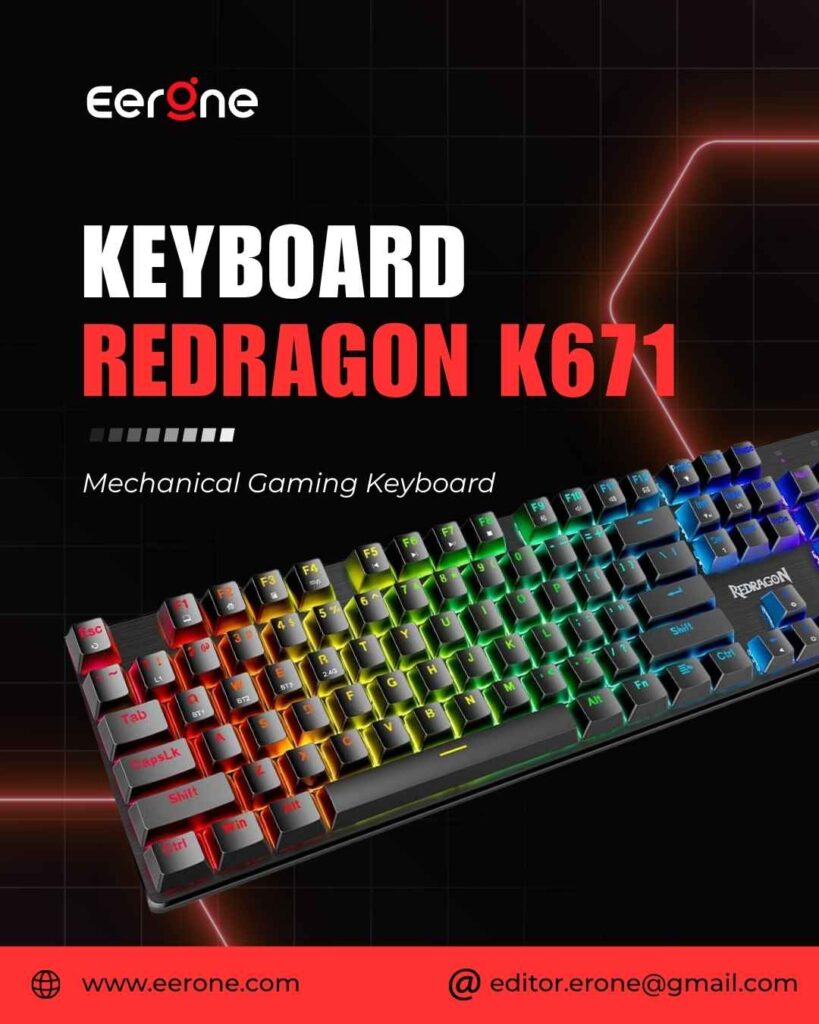
2. Redragon K671 RGB Backlit Hot-Swap Mechanical Gaming Keyboard
4.3 ★★★★☆ 4.3 out of 5 stars (6,528)
Switch: Hot-Swappable Linear Red
Layout: Full Size 104 Keys
Keycaps: Double-Shot PBT
RGB: 11 Lighting Modes
Anti-Ghosting: Full N-Key Rollover
Extras: Spare Switches & Keycaps Included
Macro: Fully Programmable
Warranty: 24 months
The Redragon K671 features hot-swappable linear red switches for a smoother typing experience and includes 11 unique backlight modes with adjustable speed and brightness settings.
The Redragon K671 is the hot-swap mechanical keyboard I recommend to most beginners because it gives you the freedom to change your mind about switch types without buying a new keyboard. Hot-swappable linear red switches require less force to press down and the keys feel smoother and easier to use best for RPGs and MMO games.
The K671 supports macro editing you can remap the keys function, set shortcuts, or combine multiple key functions in one key for more efficient work and gaming. Full keys anti-ghosting ensures all keys can work simultaneously, easily completing any combining functions without conflicting keys. 12 multimedia key shortcuts allow you to quickly access calculator, media, volume control, and email.
You will receive 4 spare switches and two red keycaps in the box so if any switch ever wears out or you want to experiment, you have immediate replacements ready. The 24-month warranty gives genuine confidence in a budget purchase.
Pros:
- Hot-swappable change switches anytime, no tools needed
- Full N-key rollover every keypress registered simultaneously
- 11 RGB modes works without software
- Double-shot PBT keycaps no fading
- 4 spare switches included ready for DIY
- 24-month warranty strong for budget tier
Cons:
- ABS plastic body less premium feel than aluminum alternatives
- Software color customization limited
- Red linear may feel too light for heavy typists
3. AULA F75 Pro Wireless Mechanical Keyboard
4.6 ★★★★★ 4.6 out of 5 stars (1,487)
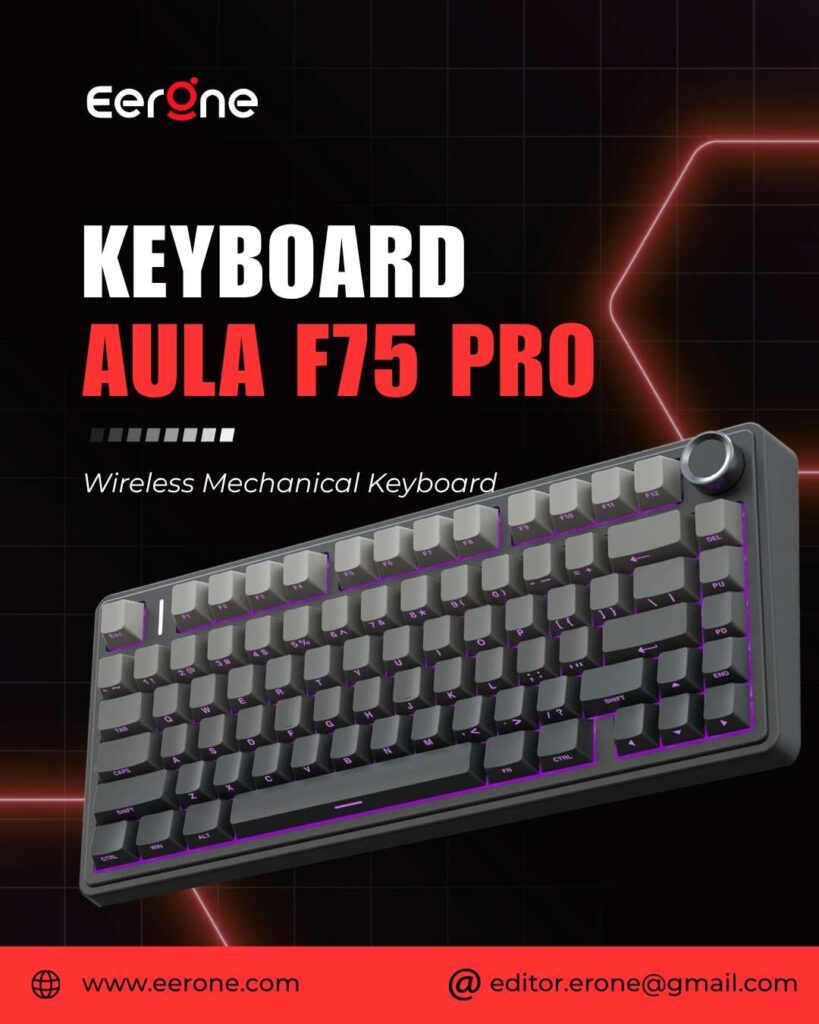
LEOBOG Reaper Linear (Hot-swap 3/5-pin)
Layout: 75% (81 Keys)
BT 5.0 + 2.4G + USB-C (5 devices)
Battery: 4000mAh (30h RGB / 80h off)
Keycaps: Side-printed PBT
RGB: 16.8M colors, 16 effects
Knob: Volume + RGB control
Build: Gasket + 5-layer foam
AULA F75 Pro wireless mechanical keyboards work with Bluetooth 5.0, 2.4GHz wireless, and USB wired connection can connect up to five devices at the same time and easily switch by shortcut keys or side button.
The AULA F75 Pro is the wireless mechanical keyboard recommendation for gamers who want to go cable-free without sacrificing mechanical performance. The AULA F75 Pro Wireless Mechanical Keyboard is a standout option for gamers and professionals alike, offering a compact 75% layout that combines efficiency with style.
The F75 boasts a five-layer sound and shock-absorbing internal design, including two layers of Poron foam, IXPE switch pad, PET sound enhancement pad, and a bottom silicone pad significantly reducing typing noise and resonance, delivering a tranquil and focused typing environment.
The rechargeable keyboard is equipped with a 4000mAh large-capacity battery, which has long-lasting battery life and the hot-swappable base supports 3-pin or 5-pin switches replacement so even keyboard beginners can easily DIY their own keyboards without soldering issues.
The multifunction control knob is my personal favorite feature rotate it to adjust volume or RGB brightness, click it to switch lighting modes. It is a small addition that makes a genuine quality-of-life difference during gaming sessions.
Pros:
- Tri-mode wireless 5 device simultaneous connection
- 4000mAh battery weeks of gaming between charges
- Five-layer noise dampening quietest mechanical on this list
- Hot-swappable 3-pin and 5-pin maximum switch compatibility
- Multifunction control knob quick media and RGB control
- 75% layout compact but keeps arrow keys
Cons:
- 75% layout no numpad
- Plastic shell not premium feel
- Space bar issues reported by some users
- Software is Windows only
4. Logitech MX Mechanical Wireless Illuminated Keyboard
4.2 ★★★★☆ 4.2 out of 5 stars (2,195)
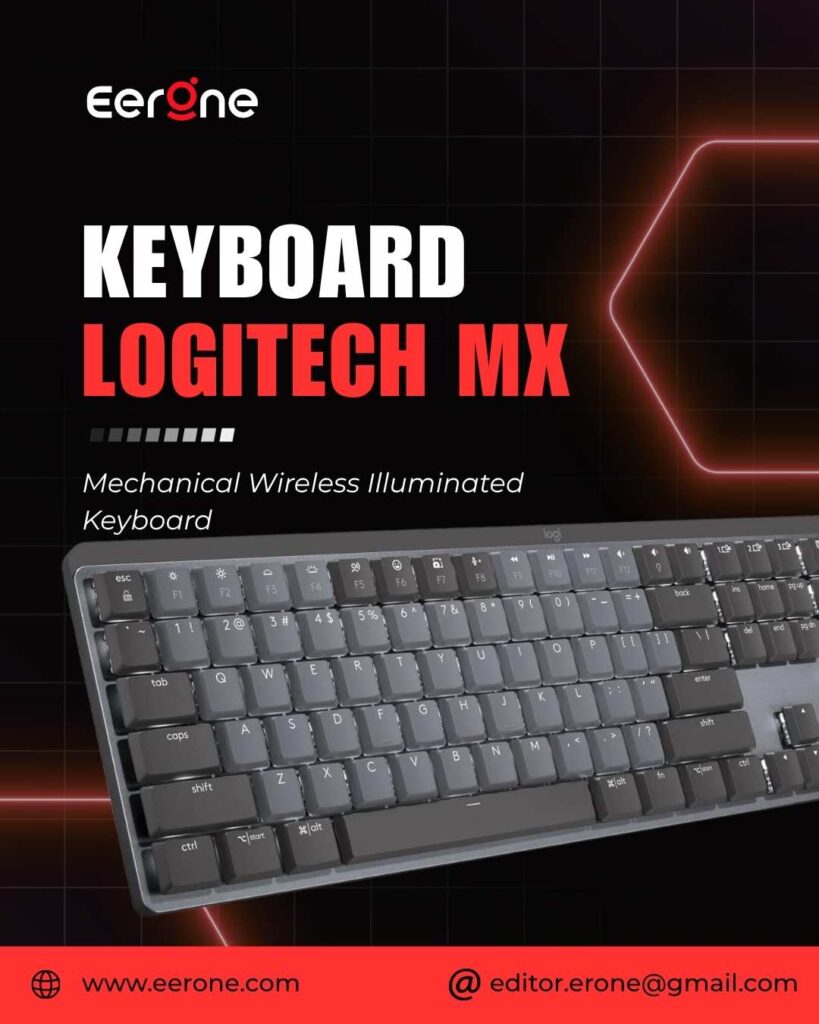
Switch: Logitech low-profile tactile quiet
Layout: Full size
Wireless: Bluetooth 5.1 (3 devices)
Lighting: Auto on/off (proximity sensor)
Battery: Up to 15 days (with backlight)
Software: Logitech Options+ customization
Windows, macOS, Linux, iOS, Android
Connection: USB-C charging
The Logitech MX Mechanical is the premium mechanical keyboard for gamers who also spend serious time working the bridge between gaming performance and professional productivity. Smart illumination detects your hands approaching and lights up automatically turning off when you step away to preserve battery life.
Low-profile mechanical switches reduce travel distance for faster actuation while maintaining the defined feel and feedback that make mechanical keyboards superior for gaming. Connect to three devices simultaneously via Bluetooth and switch between them with dedicated multi-device keys moving from your gaming PC to your work laptop without unplugging anything.
Compatible with Windows, macOS, Linux, iOS, and Android the MX Mechanical is the most versatile mechanical keyboard on this list. Logitech Options+ software provides full customization including per-key assignments, smart actions, and application-specific profiles.
Pros:
- Trusted Logitech MX quality premium build
- Smart illumination automatic on/off based on hand proximity
- Low-profile switches faster actuation, sleeker design
- Multi-device 3 Bluetooth devices simultaneously
- Cross-platform Windows, Mac, Linux, iOS, Android
- Logitech Options+ software deep customization
Cons:
- Premium price ~$120
- Not a dedicated gaming keyboard lacks N-key rollover
- Low-profile switches feel different from standard mechanical
- Best for work + gaming hybrid use, not competitive gaming specifically
Our Top Picks 4 Best Membrane Gaming Keyboards on Amazon 2026
5. GEODMAER Gaming Keyboard Best Ultra Budget Membrane
4.4 ★★★★☆ 4.4 out of 5 stars (1,411)
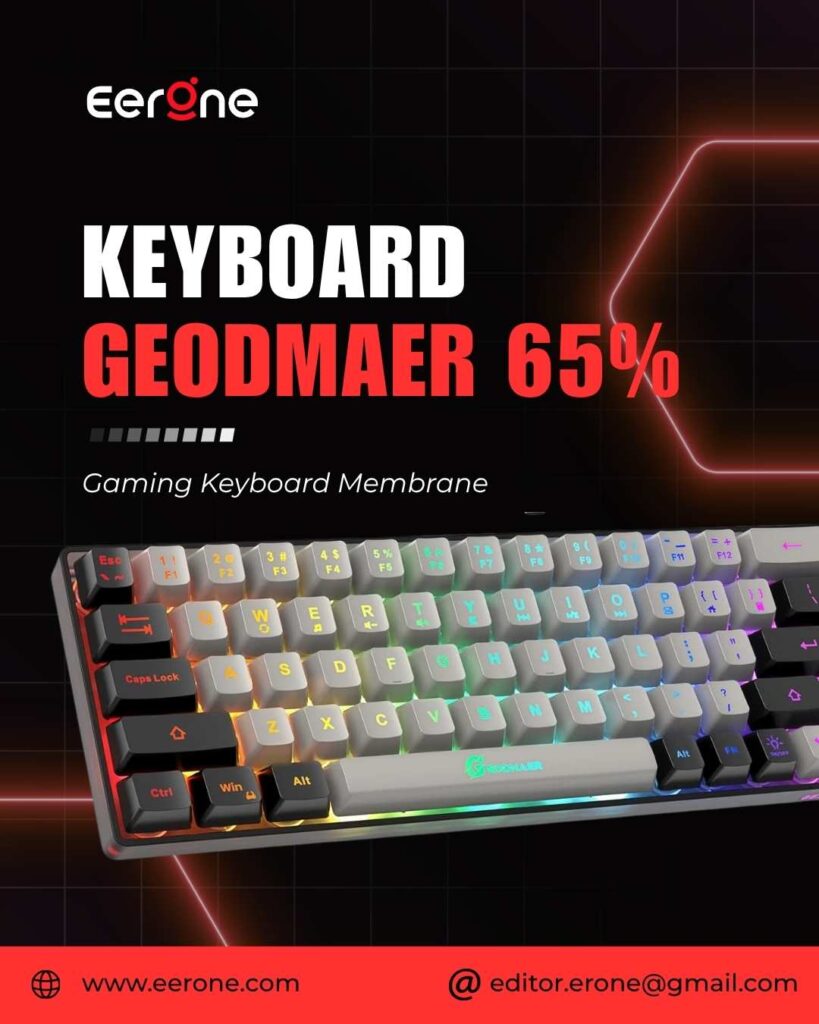
Switch: Silent Membrane
Layout: Ultra Compact 61 Keys
Anti-Ghosting: Yes no-conflict key design
RGB: Backlit multiple modes
Connection: USB wired
Size: Ultra-compact maximum mouse space
The GEODMAER Gaming Keyboard is the most affordable membrane keyboard on this list and it delivers a genuine gaming experience at a price point that makes it accessible to anyone. The ultra-compact 61-key layout removes the numpad and function row to create the smallest possible footprint, giving your mouse maximum room to move.
Silent membrane keys mean zero noise during gaming you can game at any hour without disturbing anyone around you. Anti-ghosting ensures all keys register simultaneously during fast-paced gaming inputs. RGB backlighting provides the visual gaming aesthetic at the lowest possible price.
For gamers who are upgrading from a basic laptop keyboard, the GEODMAER provides an immediate improvement in gaming feel at a budget that simply cannot be beaten.
Pros:
- Most affordable keyboard on this list
- Ultra-compact maximum desk space
- Silent operation zero noise
- Anti-ghosting reliable gaming inputs
- Plug and play zero setup
Cons:
- 61-key layout no numpad, function row, or arrow keys
- Membrane feel mushy compared to mechanical
- Budget build quality not built for long-term heavy use
- Limited RGB customization
6. Corsair Gaming Membrane Keyboard Best Trusted Brand Membrane
4.4 ★★★★☆ 4.4 out of 5 stars (76)
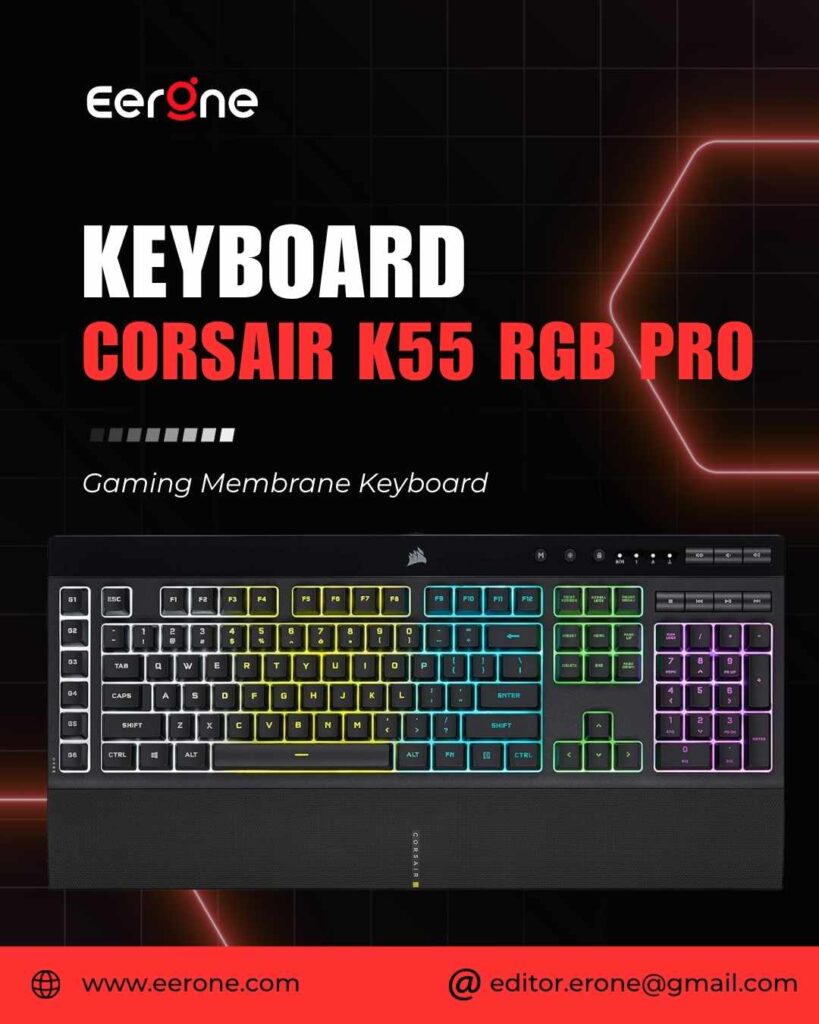
Switch: Gaming Membrane
Layout: Full Size
RGB: Dynamic RGB Corsair iCUE compatible
Software: Corsair iCUE full customization
Spill Resistance: Yes
Anti-Ghosting: Yes
Connection: USB wired
Corsair is one of the most trusted gaming hardware brands on the market and their gaming membrane keyboard brings the brand’s engineering quality to the membrane segment at an accessible price. The full-size layout includes every key you need, and the spill-resistant design protects against the accidental drink knock that is the most common cause of keyboard failure.
Corsair iCUE software integration means full RGB customization, macro programming, and per-key remapping that most budget membrane keyboards simply cannot offer. The build quality reflects Corsair’s gaming heritage this is a membrane keyboard engineered by a company that understands what gamers need.
For gamers who want the reliability and software ecosystem of a premium brand in a quiet, budget-friendly membrane keyboard the Corsair gaming membrane is the most trusted option on Amazon.
Pros:
- Trusted Corsair brand proven gaming reliability
- iCUE software deep RGB and macro customization
- Spill resistant real world protection
- Full-size layout every key included
- Premium brand at membrane price
Cons:
- Membrane feel not mechanical precision
- Not as quiet as some dedicated silent membrane keyboards
- iCUE software can be resource-heavy
7. Razer Ornata V3 Best Mecha-Membrane Gaming Keyboard
4.6 ★★★★☆ 4.6 out of 5 stars (1,022)
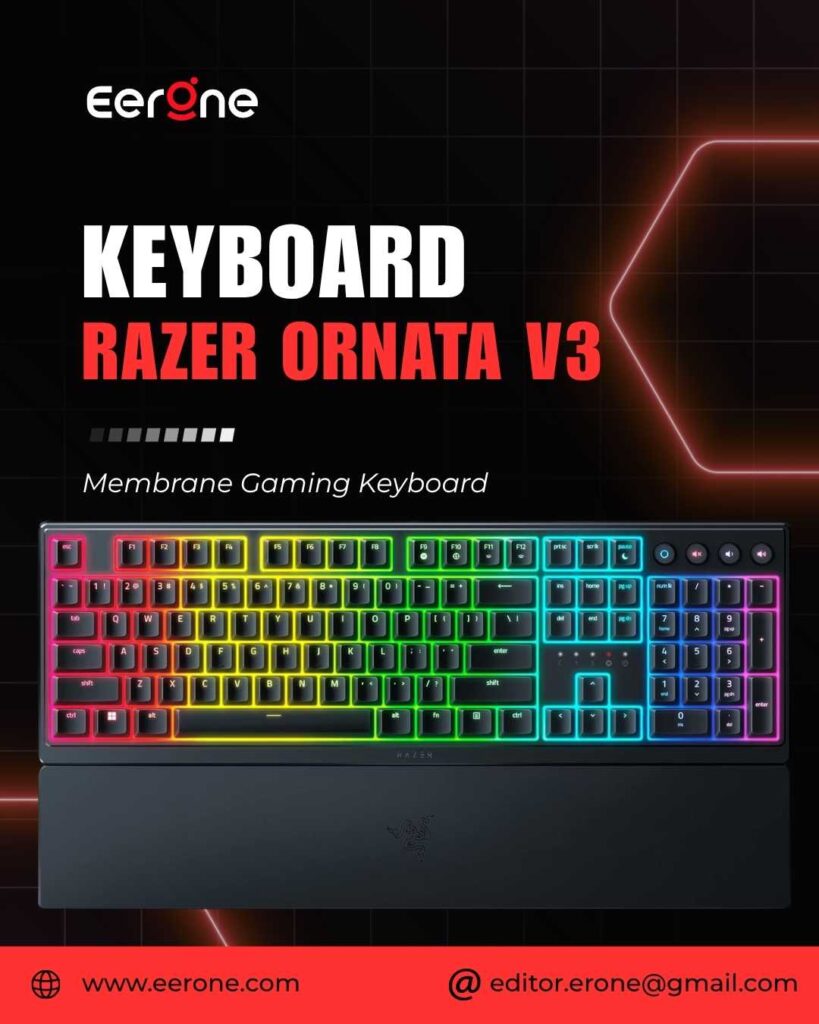
Switch: Razer Mecha-Membrane low profile
Layout: Full Size
RGB: 10-zone Razer Chroma
Wrist Rest: Magnetic detachable
Snap Tap directional override
Keycaps smudge and wear resistant
Spill Resistance: Yes
Software: Razer Synapse 3
The Razer Ornata V3 occupies a unique position in this comparison it is technically a membrane keyboard, but it uses Razer’s proprietary Mecha-Membrane technology that combines a physical mid-actuation tactile click with membrane-quiet typing. You get the satisfying click feedback of a mechanical switch with the quieter, softer landing of membrane keys.
The Razer Ornata V3 X is an ergonomic low-profile gaming keyboard featuring durable keycaps, silent membrane switches, and a comfortable wrist rest with Razer Chroma RGB, customizable lighting, and a spill-resistant design.
The Razer Ornata V3 features low profile keys, Mecha-Membrane switches, UV-coated keycaps, backlit media keys, 10-zone RGB lighting, spill resistance, a magnetic wrist rest, and Snap Tap technology.
Snap Tap Razer’s directional override feature ensures that when you press an opposing direction key (like A and D simultaneously), the most recent input always wins. This eliminates the input conflict that causes hesitation in strafing and movement in competitive FPS games a genuinely useful competitive feature.
The magnetic wrist rest snaps on and off cleanly providing comfortable palm support during long sessions without any permanent attachment.
Pros:
- Mecha-Membrane tactile click without mechanical noise
- Snap Tap competitive directional input advantage
- Magnetic wrist rest included genuine comfort addition
- 10-zone Chroma RGB stunning lighting
- Razer Synapse 3 deep customization
- UV-coated keycaps smudge resistant
Cons:
- Mecha-Membrane is not true mechanical different feel
- 10-zone RGB is not per-key illumination
- Premium price for membrane technology
- Razer Synapse software can be intrusive
8. Redragon K526 PRO Mechanical Feel Membrane Keyboard
4.2 ★★★★☆ 4.2 out of 5 stars (37)
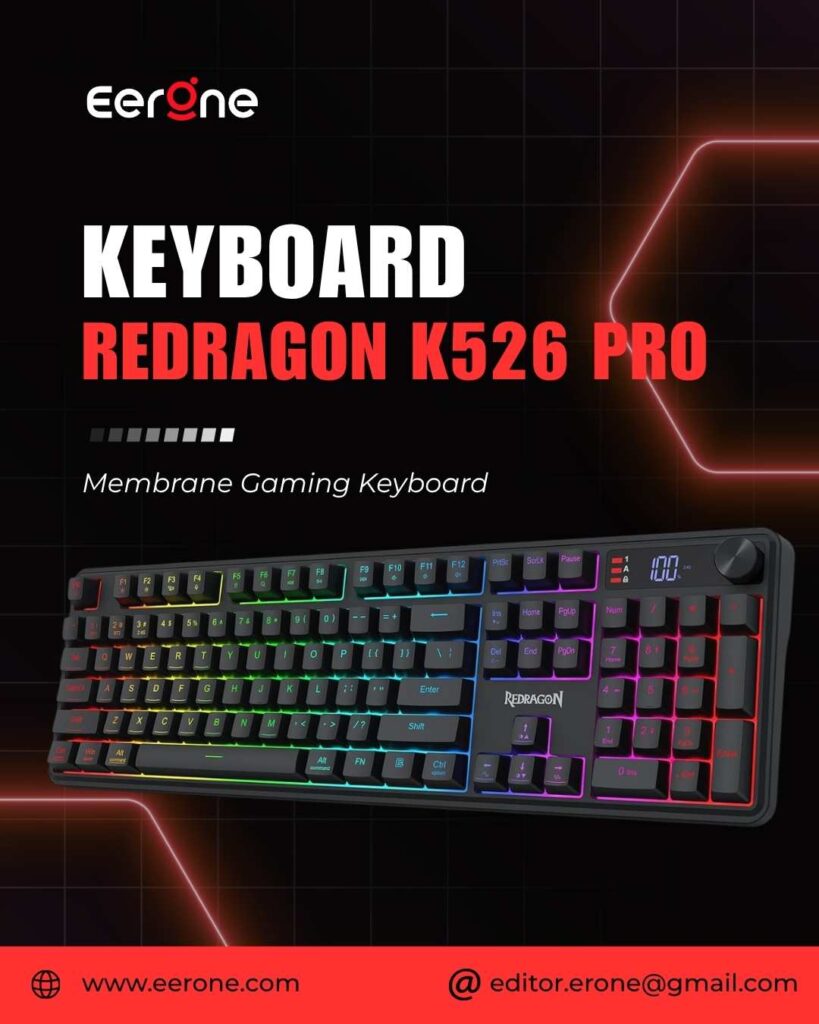
Switch: Mechanical Feel Membrane
Layout: Full Size
Wireless: Supported (model dependent)
RGB: Backlit multiple modes
Anti-Ghosting: Yes
Spill Resistance: Yes
Software: Redragon Software compatible
The Redragon K526 PRO bridges the gap between budget membrane and mechanical feel at a price that makes it one of the best value keyboards on this list. The mechanical feel membrane switches are specifically tuned to replicate the response and feedback of mechanical switches providing a noticeably more responsive and precise keypress than standard rubber dome keyboards.
Redragon’s reputation for delivering gaming-grade features at budget prices is well-established, and the K526 PRO continues that tradition. Anti-ghosting ensures reliable simultaneous key registration during gaming. RGB backlighting covers all keys with customizable effects. The comfortable typing angle and spill-resistant design make it a practical daily driver for gaming and general use.
For gamers who want a mechanical-like experience without the mechanical price and are happy to stay in the membrane category the Redragon K526 PRO is the smartest budget choice on Amazon.
Pros:
- Mechanical feel more responsive than standard membrane
- Budget price under $35
- Anti-ghosting reliable gaming inputs
- Redragon brand trusted budget gaming peripheral brand
- RGB backlighting included
- Spill resistant
Cons:
- Not true mechanical limited customization
- Membrane lifespan shorter than mechanical
- Wireless version may cost more
- Less defined actuation than true mechanical
Which Should You Buy? The Final Decision Guide
After everything I have covered, here is the simplest way to make your decision.
Buy mechanical if:
- You play competitive games seriously
- You want a keyboard that lasts 10+ years
- You game in your own space with no noise restrictions
- You want to customize and upgrade over time
- You are willing to spend $40 or more
Buy membrane if:
- You game in a shared space or late at night
- You have a very tight budget under $30
- You play casual games where competitive precision is secondary
- You prefer a softer, quieter typing experience
- You are buying a first gaming keyboard with no specific preferences
FAQ Mechanical Keyboard vs Membrane for Gaming
Q: Is a mechanical keyboard actually better for gaming?
For competitive gaming yes, mechanical keyboards are genuinely better. The defined actuation point, consistent switch feel, and faster response time provide a measurable advantage in precision-dependent games like CS2, Valorant, and Apex Legends. For casual gaming, the difference is less significant and comes down to personal preference.
Q: Are membrane keyboards good enough for gaming?
Yes membrane keyboards are perfectly adequate for casual and mid-level gaming. Games like Forza, FIFA, story-driven RPGs, and most console ports do not require the precise input registration that competitive FPS gaming demands. If noise is a concern or budget is tight, a quality gaming membrane keyboard performs well.
Q: What is the best mechanical switch for gaming?
For competitive FPS gaming linear red switches. They offer the fastest actuation with no tactile bump to slow the keystroke. For a balance of gaming and typing tactile brown switches. For typists who also game tactile or clicky switches. The AULA F75 Pro and Redragon K671 both ship with linear switches ideal for gaming.
Q: Are mechanical keyboards too loud for gaming?
It depends on the switch. Blue clicky switches are loud not suitable for shared spaces. Linear red switches are moderately quiet noticeable but not disruptive. Silent mechanical switches (like those in the Logitech MX Mechanical) are nearly as quiet as membrane keyboards. If noise is a concern, choose linear or silent switches.
Q: Is the Razer Ornata V3 mechanical or membrane?
The Ornata V3 uses Razer’s Mecha-Membrane technology a hybrid that combines a physical tactile click mechanism with membrane-quiet typing. It is technically membrane but designed to bridge the gap between mechanical feedback and membrane silence. It is a genuine middle ground option.
Q: How long do mechanical keyboards last compared to membrane?
Mechanical switches are rated for 50-100 million keystrokes each. At 8 hours of daily gaming, a mechanical keyboard typically lasts 10-15 years before switch wear becomes noticeable. Membrane rubber domes degrade significantly faster most gaming membrane keyboards lose their responsiveness noticeably within 2-4 years of heavy daily use.
Final Verdict
| Category | Best Pick | Price | Why |
| Best Mechanical Overall | AULA F75 Pro | $65.54 | Wireless, hot-swap, 5-layer dampening |
| Best Budget Mechanical | Redragon K671 | $49.99 | Hot-swap, PBT, full N-key rollover |
| Best Entry Mechanical | Logitech G413 SE | $59.99 | Aluminum build, trusted brand |
| Best Premium Mechanical | Logitech MX Mechanical | $159.99 | Multi-device, smart illumination |
| Best Membrane Overall | Razer Ornata V3 | $64.99 | Mecha-membrane, Snap Tap, wrist rest |
| Best Budget Membrane | Redragon K526 PRO | $34.99 | Mechanical feel, anti-ghosting |
| Best Brand Membrane | Corsair Membrane | $59.99 | iCUE software, spill resistant |
| Best Ultra Budget | GEODMAER | $16.97 | Silent, compact, accessible |
My recommendation for most gamers is clear: go mechanical. The Redragon K671 at around $45 with hot-swap capability delivers everything a beginner needs at a price that makes the upgrade from membrane a no-brainer. If wireless and premium sound profile matter to you, the AULA F75 Pro at $80 is the best value wireless mechanical keyboard available on Amazon in 2026.
If noise is genuinely your top concern if you game at night, in a shared room, or in a quiet household the Razer Ornata V3’s Mecha-Membrane is the intelligent compromise. You get a tactile clicking sensation with a significantly quieter sound profile than any true mechanical keyboard.
Whatever you choose from this list you will be gaming on something genuinely better than a generic office keyboard. And that makes every session more enjoyable.
Shop All Gaming Keyboards on Amazon
As an Amazon Associate, Eerone earns from qualifying purchases. Product prices are approximate and subject to change. Always check Amazon for the latest price, availability, and deals.